
Reviews
Sus gráficos añaden un toque agradable a mis presentaciones y recientemente los usé para una de mis reuniones generales. Su conjunto de herramientas añade profesionalismo a mis diapositivas. En lugar de usar imágenes prediseñadas estándar.
Necesitaba un aspecto fresco para algunas de mis diapositivas. Había intentado encontrar una forma de crear un efecto de pincel, de subrayar, acentuar, añadir algo de color y los marcadores escritos a mano fueron justo lo que necesitaba. Muy fácil de usar, fácil de ajustar el tamaño, cambiar el color. Fue una solución asequible y perfecta, y estoy feliz de recomendarla.
El aspecto nítido y limpio de los gráficos, y el hecho de que me permitiera editar y cambiar fácilmente los colores para que coincidieran con la plantilla fue mi principal razón para comprarlos.
Description
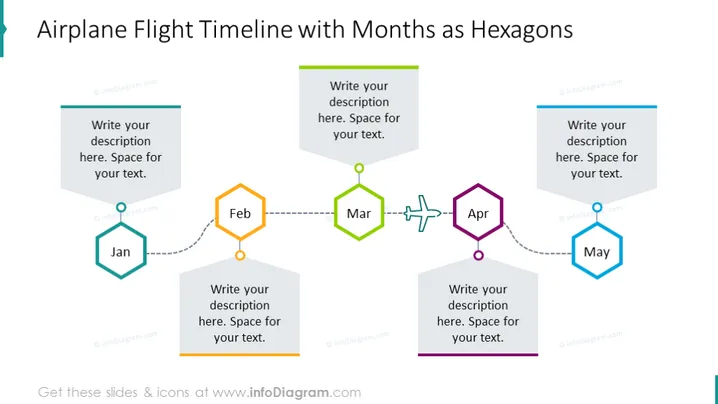
Airplane Flight Timeline with Months as Hexagons
Slide Content
The slide represents a timeline with months formatted as hexagons for user descriptions, signifying a sequence of events or milestones. Each hexagon contains a month label—Jan, Feb, Mar, Apr, May—and is connected by a dotted line which suggests progression over time. Text boxes adjacent to each hexagon give space for additional descriptions about each monthly event.
Graphical Look
- The slide's background is white, providing a clean and uncluttered canvas for the content.
- There are five hexagons, each representing a month, with a gradient fill color and a thin border.
- The hexagons for January and February are teal and orange, respectively, while March is green, April is purple, and May is blue.
- Dotted lines with circular nodes connect each hexagon, implying a sequence or flow.
- Next to each hexagon is a 3D-styled rectangular text box with a drop shadow for additional descriptions.
- The text within the placeholders says "Write your description here. Space for your text."
The overall look of the slide is modern and visually appealing, with a clear depiction of a timeline using colorful hexagons and connected lines to indicate progression.
Use Cases
- To present project milestones and deadlines over a five-month period in project management presentations.
- For illustrating a marketing campaign timeline, mapping out the key activities or launches in different months.
- As a sales plan overview, showcasing monthly goals or targets along with strategic initiatives.
- To outline corporate or departmental monthly updates during quarterly business reviews or team meetings.
How to Edit
How to edit text & colors

How to expand / shorten diagram

How to Replace Icons in infoDiagram PPT


