
Reviews
Your graphics add a nice touch to my presentations and I recently used them for one of my all-hands meetings. Your toolbox adds professionalism to my slides. Instead of using standard clipart.
I needed a fresh look at some of my slides. I've tried to find a way to create a paintbrush effect, to underline, accentuate, add some color and the handwritten markers were just the things. Very easy to use, easy to size, change the color. It was an affordable, perfect solution and I'm happy to recommend it.
The crisp, clean look of the graphics, and the fact that it allowed me to easily edit and change the colors to match the template was my main reason for purchasing them.
Description
Airplane Flight Trajectory Graphics Timeline
Slide Content
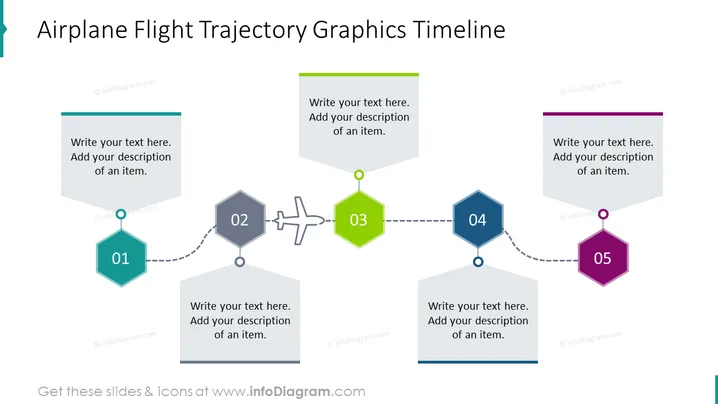
The slide is a visual representation of a timeline using the analogy of an airplane flight trajectory to depict a sequence of events or steps. Each step is denoted by a numerical order (01 to 05) and is accompanied by a space for a brief text description. The design effectively uses shapes and icons that correspond to stages in a process, emphasizing connectivity and progression from one stage to the next.
Graphical Look
- The slide background is white, providing a clean, neutral canvas for the content.
- Five hexagon-shaped icons are lined up horizontally across the slide, each representing a step in the timeline, numbered from 01 to 05.
- The icons have a slight gradient and are colored differently to distinguish the steps: teal, gray, lime green, blue, and purple.
- A dashed line connects the icons, suggesting a path similar to an airplane's flight trajectory.
- In between the 2nd and 3rd steps, there is a graphic of an airplane, reinforcing the flight trajectory theme.
- Each hexagon has a corresponding text box with a placeholder text prompt, which is angled parallely and has a colored bar at the top that matches the hexagon's color.
- The font used in the text placeholders is sans-serif, which adds to the modern and clean look of the slide.
The slide is sleek and modern, with a simple color scheme that is visually engaging. The use of icons and the airplane graphic clearly communicates the concept of a journey or a series of developments over time.
Use Cases
- Outlining the phases of a project from conception to completion, with each step on the timeline representing a milestone.
- Presenting a company's growth and expansion history, with key events highlighted at each step of the timeline.
- Illustrating the steps in a product development cycle, from initial design through to launch and market feedback.
- Demonstrating a sequential process in a training or educational presentation , where each step is a learning objective or module.
How to Edit
How to edit text & colors

How to expand / shorten diagram

How to Replace Icons in infoDiagram PPT


