
Your graphics add a nice touch to my presentations and I recently used them for one of my all-hands meetings. Your toolbox adds professionalism to my slides. Instead of using standard clipart.
Claude Jones, Director of Engineer, @Walmartlabs, USA

Your graphics add a nice touch to my presentations and I recently used them for one of my all-hands meetings. Your toolbox adds professionalism to my slides. Instead of using standard clipart.
Claude Jones, Director of Engineer, @Walmartlabs, USA

I needed a fresh look at some of my slides. I've tried to find a way to create a paintbrush effect, to underline, accentuate, add some color and the handwritten markers were just the things. Very easy to use, easy to size, change the color. It was an affordable, perfect solution and I'm happy to recommend it.
Anonymous, US
The crisp, clean look of the graphics, and the fact that it allowed me to easily edit and change the colors to match the template was my main reason for purchasing them.
Brandie Jenkins, E-learning Developer, USA
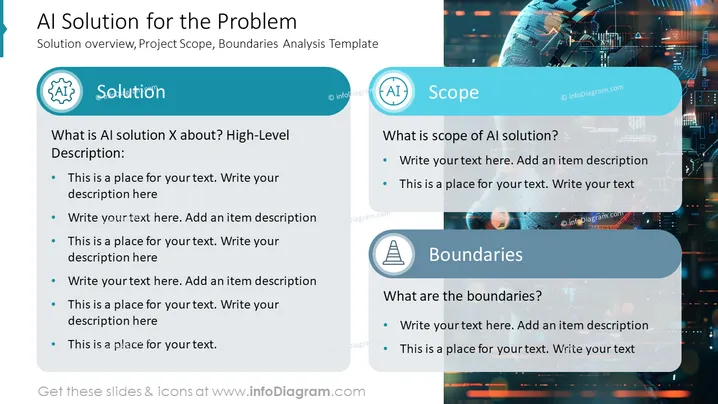
The slide aims to provide a structured outline for presenting an Artificial Intelligence (AI) solution including its scope and boundaries. The section titled "Solution" prompts the presenter to describe what AI solution X is about through a high-level description. It is designed as a framework for the presenter to add their own text around the AI solution's purpose and details. The "Scope" area inquires about the scope of the AI solution, seeking information to be filled in regarding what the solution encompasses or intends to achieve. Lastly, the "Boundaries" section is meant for detailing the limits or constraints of the AI solution, providing a space for the presenter to clarify what is outside the solution's domain.
The overall visual appearance is sleek and modern with a professional aesthetic appropriate for corporate settings. The choice of icons and semi-transparent overlays suggests a focus on clarity and thematic consistency.


