
Your graphics add a nice touch to my presentations and I recently used them for one of my all-hands meetings. Your toolbox adds professionalism to my slides. Instead of using standard clipart.
Claude Jones, Director of Engineer, @Walmartlabs, USA
Your graphics add a nice touch to my presentations and I recently used them for one of my all-hands meetings. Your toolbox adds professionalism to my slides. Instead of using standard clipart.
Claude Jones, Director of Engineer, @Walmartlabs, USA
I needed a fresh look at some of my slides. I've tried to find a way to create a paintbrush effect, to underline, accentuate, add some color and the handwritten markers were just the things. Very easy to use, easy to size, change the color. It was an affordable, perfect solution and I'm happy to recommend it.
Anonymous, US
The crisp, clean look of the graphics, and the fact that it allowed me to easily edit and change the colors to match the template was my main reason for purchasing them.
Brandie Jenkins, E-learning Developer, USA
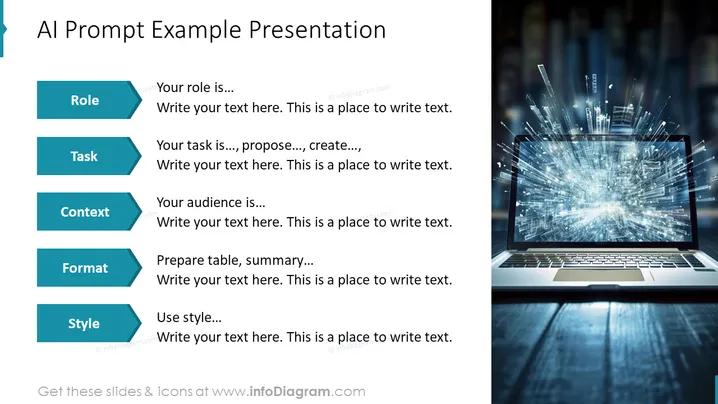
The slide presents a template for crafting an AI prompt example presentation covering five key components: Role, Task, Context, Format, and Style. Each component is presented as an actionable item to guide the user's input. For instance, "Role" prompts the user to define their role, "Task" outlines the task to be achieved, "Context" sets the stage for the audience, "Format" suggests structuring the information in tables or summaries, and "Style" encourages considering the presentation style. These elements help structure a targeted and effective presentation based on AI prompts.
The slide has a modern, tech-centered aesthetic, with a striking image that symbolizes the dynamic nature of AI. The layout is clean and methodically organized, echoing the structure and precision often associated with technology.




