
Your graphics add a nice touch to my presentations and I recently used them for one of my all-hands meetings. Your toolbox adds professionalism to my slides. Instead of using standard clipart.
Claude Jones, Director of Engineer, @Walmartlabs, USA
Your graphics add a nice touch to my presentations and I recently used them for one of my all-hands meetings. Your toolbox adds professionalism to my slides. Instead of using standard clipart.
Claude Jones, Director of Engineer, @Walmartlabs, USA
I needed a fresh look at some of my slides. I've tried to find a way to create a paintbrush effect, to underline, accentuate, add some color and the handwritten markers were just the things. Very easy to use, easy to size, change the color. It was an affordable, perfect solution and I'm happy to recommend it.
Anonymous, US
The crisp, clean look of the graphics, and the fact that it allowed me to easily edit and change the colors to match the template was my main reason for purchasing them.
Brandie Jenkins, E-learning Developer, USA
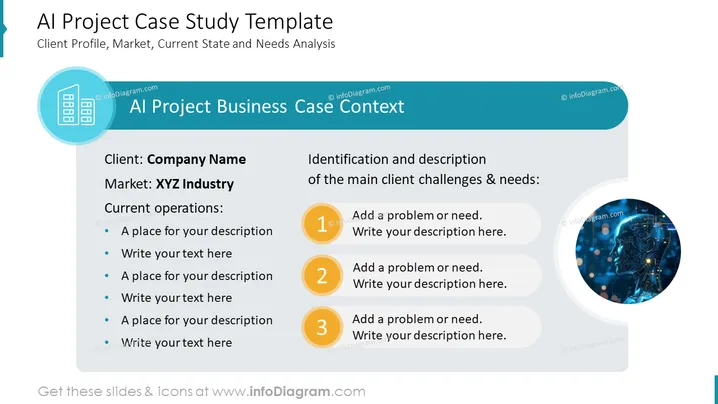
The slide is titled "AI Project Case Study Template." It is divided into two main sections. The left section is about the "Client Profile, Market, Current State and Needs Analysis" and can be filled with a company name, industry, and details about current operations. The right section titled "Identification and description of the main client challenges & needs" includes three numbered points where problems or needs can be detailed, each accompanied by a text box for further explanation.
The overall look is modern and sophisticated, with a tech-related aesthetic. The visual elements, including the AI image and clean lines, suggest the slide is suitable for a technology-focused presentation.




