
Reviews
Your graphics add a nice touch to my presentations and I recently used them for one of my all-hands meetings. Your toolbox adds professionalism to my slides. Instead of using standard clipart.
I needed a fresh look at some of my slides. I've tried to find a way to create a paintbrush effect, to underline, accentuate, add some color and the handwritten markers were just the things. Very easy to use, easy to size, change the color. It was an affordable, perfect solution and I'm happy to recommend it.
The crisp, clean look of the graphics, and the fact that it allowed me to easily edit and change the colors to match the template was my main reason for purchasing them.
Description
AI Definition Template
Slide Content
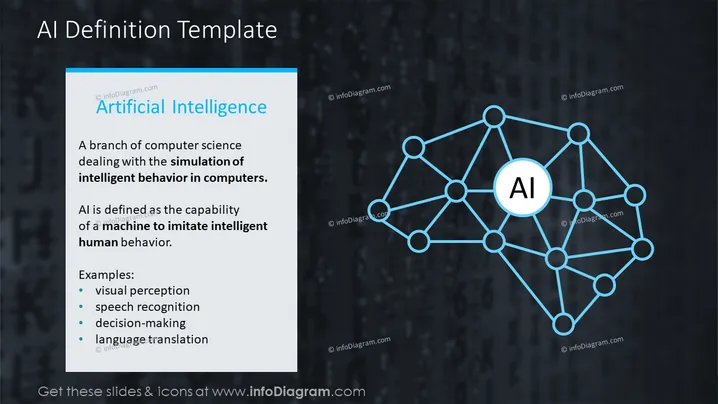
Artificial Intelligence is presented as a branch of computer science focused on simulating intelligent behavior in computers. Defined as the capability of a machine to imitate human behavior, examples of AI functionalities are presented: visual perception (understanding and interpreting visual information), speech recognition (interpreting and understanding spoken language), decision-making (processing information to make choices), and language translation (converting text or speech from one language to another).
Graphical Look
- The slide has a dark, textured background giving it a high-tech feel.
- There's a two-column layout with text on the left and a graphic on the right.
- The left column features a light blue vertical bar on the far left margin.
- Text within the left column is white for maximum contrast, with the heading "Artificial Intelligence" in a larger, bold font.
- The graphic on the right depicts a neural network or atom-like structure, symbolizing AI, with lines connecting nodes centered around a larger node labeled "AI" in a white and blue circle.
- The graphical elements and icons make use of blue and white colors, consistent with the overall color scheme.
- There are no other distinct decorative graphics aside from the main diagram.
The overall look of the slide is professional and modern, with a clean layout that emphasizes the content on the left and the AI-representative graphic on the right.
Use Cases
- To introduce the concept of AI in educational or training sessions.
- As an opening slide in a tech company's presentation about their artificial intelligence initiatives or products.
- In a research presentation to define the scope and capabilities of AI for the audience.
- To set the context for a discussion on the future of technology and its applications in various industries.
How to Edit
How to edit text & colors

How to expand / shorten diagram

How to Replace Icons in infoDiagram PPT


