
Reviews
Your graphics add a nice touch to my presentations and I recently used them for one of my all-hands meetings. Your toolbox adds professionalism to my slides. Instead of using standard clipart.
I needed a fresh look at some of my slides. I've tried to find a way to create a paintbrush effect, to underline, accentuate, add some color and the handwritten markers were just the things. Very easy to use, easy to size, change the color. It was an affordable, perfect solution and I'm happy to recommend it.
The crisp, clean look of the graphics, and the fact that it allowed me to easily edit and change the colors to match the template was my main reason for purchasing them.
Description
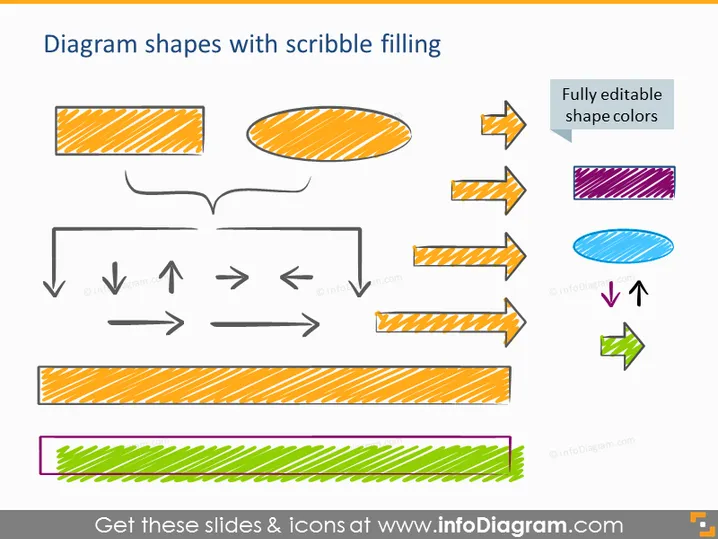
Diagram shapes with scribble filling
Slide Content
The slide showcases a collection of diagram shapes embellished with a scribble texture, indicating a hand-drawn style. These include rectangular and elliptical shapes, arrows in different orientations, and lines, all with a sketch-like pattern fill. An accompanying note emphasizes that these shape colors are fully editable, providing flexibility for customization. The scribble filling suggests informality and creativity, contributing to a dynamic and engaging visual presentation.
Graphical Look
- A title at the top in bold orange letters.
- A variety of shapes: rectangles, ellipses, straight and curved arrows.
- Each shape contains a scribble-like pattern fill, giving them a textured appearance.
- Colored stripes within the shapes include orange, blue, purple, and green.
- A specific shape is accompanied by a text box pointing out that the shape colors are fully editable.
- The shapes are arranged in a scattered, non-linear fashion across the slide.
The overall look of the slide is vibrant and playful, with an informal, hand-drawn feel. The various shapes, combined with their scribbled pattern fill, give the presentation a dynamic and creative aesthetic.
Use Cases
- To illustrate a process or workflow with a creative flair in business presentations.
- For educational purposes, to explain concepts in a visually appealing manner.
- In marketing or advertising pitches to showcase ideas or strategies with a unique visual style.
- During brainstorming sessions to represent thoughts or pathways in a more engaging format.
How to Edit
How to edit text & colors

How to expand / shorten diagram

How to Replace Icons in infoDiagram PPT


