

Your graphics add a nice touch to my presentations and I recently used them for one of my all-hands meetings. Your toolbox adds professionalism to my slides. Instead of using standard clipart.
Claude Jones, Director of Engineer, @Walmartlabs, USA

Your graphics add a nice touch to my presentations and I recently used them for one of my all-hands meetings. Your toolbox adds professionalism to my slides. Instead of using standard clipart.
Claude Jones, Director of Engineer, @Walmartlabs, USA
I needed a fresh look at some of my slides. I've tried to find a way to create a paintbrush effect, to underline, accentuate, add some color and the handwritten markers were just the things. Very easy to use, easy to size, change the color. It was an affordable, perfect solution and I'm happy to recommend it.
Anonymous, US
The crisp, clean look of the graphics, and the fact that it allowed me to easily edit and change the colors to match the template was my main reason for purchasing them.
Brandie Jenkins, E-learning Developer, USA
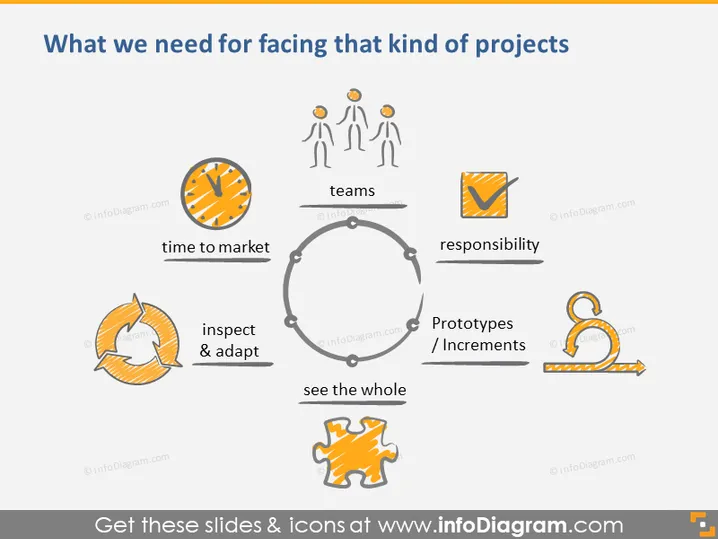
The PowerPoint slide is themed around the essentials for tackling specific projects. It identifies four key concepts: "time to market," "teams," "responsibility," and "Prototypes / Increments," emphasizing the importance of quick turnaround time, collaborative efforts, taking ownership, and developing working models or segments of the project respectively. In the center, "see the whole" stresses the need for a holistic view, while "inspect & adapt" calls for continual evaluation and flexibility. Together, these elements underscore a strategic and agile approach to project management.
The overall look is modern and clean, with a professional layout designed to visually communicate the key components of project management. The cycle and satellite format effectively presents the interconnected nature of the concepts.



