
Reviews
Ihre Grafiken verleihen meinen Präsentationen eine nette Note, und ich habe sie kürzlich für eines meiner All-Hands-Meetings verwendet. Ihre Toolbox verleiht meinen Folien Professionalität, anstatt Standard-Clipart zu verwenden.
Ich brauchte einen neuen Blick auf einige meiner Folien. Ich habe versucht, einen Weg zu finden, einen Pinselschlag-Effekt zu erzielen, um zu unterstreichen, hervorzuheben, Farbe hinzuzufügen, und die handgeschriebenen Markierungen waren genau das Richtige. Sehr einfach zu bedienen, leicht in der Größe zu ändern, die Farbe zu ändern. Es war eine erschwingliche, perfekte Lösung und ich empfehle sie gerne weiter.
Die klare, saubere Optik der Grafiken und die Tatsache, dass ich die Farben leicht bearbeiten und an die Vorlage anpassen konnte, war mein Hauptgrund für den Kauf.
Description
Agenda
Slide Content
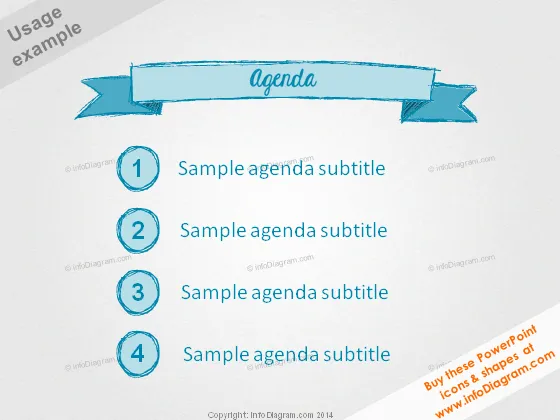
The PowerPoint slide is structured as an agenda with four items, each labeled with a number and titled "Sample agenda subtitle." The list is organized to introduce a sequence of topics or activities. Number 1 signifies the beginning or the first point to be addressed, explaining the initial item on the agenda. Number 2 follows as the next item, indicating a second topic or step in the sequence. Number 3 continues this pattern, marking the third point for discussion or action. Finally, number 4 concludes the list, signifying the last agenda item to be covered.
Graphical Look
- The slide features a light blue background with a white center, creating a contrasting effect.
- At the top, there is a banner with a hand-drawn aesthetic that reads "Agenda" in stylized text.
- Below the banner, there are four circled numbers (1 to 4), each enclosed in a hand-drawn circle with a sketched look.
- Each circled number is accompanied by the text "Sample agenda subtitle" aligned horizontally.
- All text and numbers on the slide have a scribbled effect, enhancing the hand-drawn theme.
The slide exhibits a casual, sketch-like design with a clear, easy-to-follow layout. The hand-drawn elements give the slide an informal, personable aesthetic.
Use Cases
- To outline the sequence of events in a meeting or workshop.
- As an introductory slide to preview the topics that will be discussed during a presentation.
- To set the agenda for a conference session or seminar.
- To structure the topics during team briefings or project planning sessions.
How to Edit
How to edit text & colors

How to expand / shorten diagram

How to Replace Icons in infoDiagram PPT


