
Reviews
Deine Folien sind meine 'geheime Zutat', wenn es darum geht, meine Ideen Kunden zu visualisieren. Ich spare so viel Zeit.
Ihre Folien führen oft zu guten Kommentaren und Ideen meines Teams, die die endgültigen Folien verbessern.
Description
Agenda Graphics – 5 Chapters Arrows
Slide Content
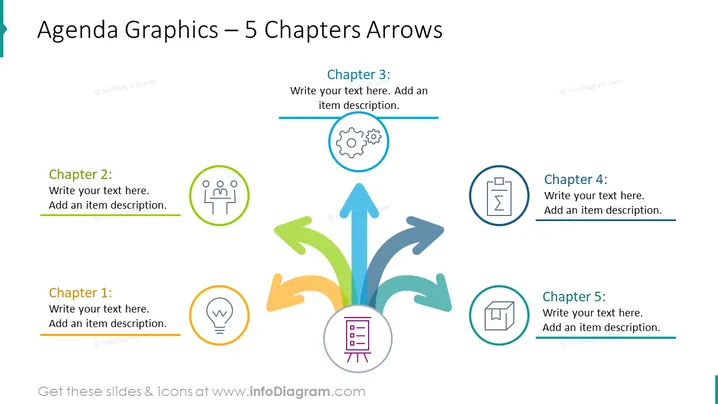
The slide presents an agenda structured into five chapters, each connected to a central theme represented by an arrow graphic. Chapter 1 is associated with an idea or creativity icon (light bulb), Chapter 2 with a teamwork or group discussion icon (two people and lines), Chapter 3 with a processes or mechanics icon (gears), Chapter 4 with a document or report icon (clipboard), and Chapter 5 with a structure or plan icon (3D cube). Each chapter provides space for customizable text and a brief description, allowing the presenter to outline the specific topics covered or the progression of a meeting or workshop.
Graphical Look
- The slide background is white with a minimalistic design.
- The title of the slide is placed at the top in a large bold font with a decorative teal line beside it.
- Five colorful curved arrows emerge from a central point, spreading out towards the corners and edges of the slide in green, yellow, teal, dark blue, and light blue.
- Each arrow has a circular icon with a thin line border and a unique symbol inside, representing different chapters or topics.
- The circular icons are connected to text placeholders that are labeled as "Chapter 1" through "Chapter 5" with underlined spaces for custom text.
- The font used for the chapter titles and text placeholders is sans-serif, clean, and modern.
- A central circle at the base of the arrows contains a purple icon of a file cabinet, possibly symbolizing the central theme or foundation of the agenda.
- The slides have a balanced and colorful appearance, with visual focus on the central arrows and icons design. The slide has a professional and visually appealing design, with vibrant colors that draw attention to each section. The use of icons and arrows creates a sense of flow and connectivity, emphasizing the progression from one chapter to the next.
Use Cases
- Outlining the agenda for a business meeting or conference, highlighting the main points of discussion.
- Visualizing the structure of a training or workshop session, showing the different modules or topics that will be covered.
- Presenting the chapters of a business plan or project proposal to stakeholders, allowing them to understand the sequence of topics.
- Using it as part of a strategic planning presentation, with each arrow representing a key area of focus or objective.
How to Edit
How to edit text & colors

How to expand / shorten diagram

How to Replace Icons in infoDiagram PPT


