
Reviews
Your graphics add a nice touch to my presentations and I recently used them for one of my all-hands meetings. Your toolbox adds professionalism to my slides. Instead of using standard clipart.
I needed a fresh look at some of my slides. I've tried to find a way to create a paintbrush effect, to underline, accentuate, add some color and the handwritten markers were just the things. Very easy to use, easy to size, change the color. It was an affordable, perfect solution and I'm happy to recommend it.
The crisp, clean look of the graphics, and the fact that it allowed me to easily edit and change the colors to match the template was my main reason for purchasing them.
Description
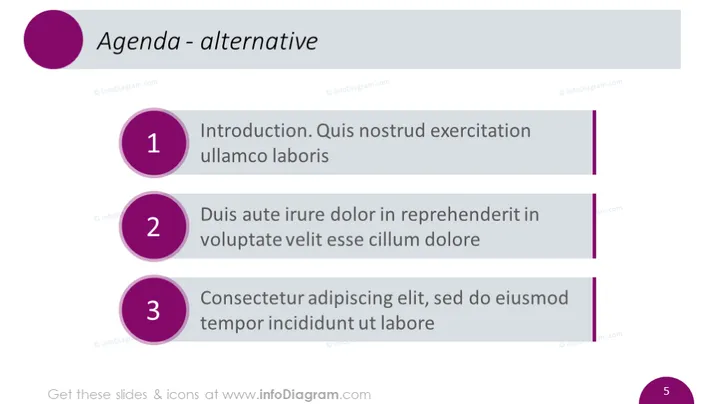
Agenda - alternative
Slide Content
This PowerPoint slide presents an alternative agenda layout with three key points. Numbered one to three, each point introduces a topic for discussion or presentation. The first is "Introduction. Quis ullamco laboris," suggesting an overview of a subject, possibly introducing key themes or objectives. The second point, "Duis aute irure dolor in reprehenderit in voluptate velit esse cillum dolore," may delve into a specific area of contention or detail within the greater subject. The third, "Consectetur adipiscing elit, sed do eiusmod tempor incididunt ut labore," may cover the outcomes or methods applied to the subject at hand, tying together previous points.
Graphical Look
- The slide title "Agenda - alternative" is positioned at the top left in a large font.
- A large purple circle serves as a decorative element aligning with the title on the left.
- Three smaller purple circles with numbers inside (1 to 3) are aligned vertically down the slide's left side.
- Next to each numbered circle is a corresponding text description detailing topics covered in the agenda.
- Each text entry is separated by space, and the alignment is consistent across all items.
- The numbers and text are set against a plain white background, making them stand out.
- Three vertical purple lines act as design elements, linking the numbers to the descriptions.
- The overall layout is clean and simple, using purple as the primary color to denote different sections.
The slide has a modern and professional aesthetic with a minimalist design that emphasizes clarity and order.
Use Cases
- When presenting the outline of a meeting, workshop, or seminar to give participants a clear roadmap.
- In business presentations to highlight the main topics that will be discussed or explored.
- During educational lectures or training sessions to provide a structured overview of the content.
- To replace traditional bullet-point agendas in order to offer a more visually compelling and organized presentation slide.
How to Edit
How to edit text & colors

How to expand / shorten diagram

How to Replace Icons in infoDiagram PPT


