
Reviews
Ihre Grafiken verleihen meinen Präsentationen eine nette Note, und ich habe sie kürzlich für eines meiner All-Hands-Meetings verwendet. Ihre Toolbox verleiht meinen Folien Professionalität, anstatt Standard-Clipart zu verwenden.
Ich brauchte einen neuen Blick auf einige meiner Folien. Ich habe versucht, einen Weg zu finden, einen Pinselschlag-Effekt zu erzielen, um zu unterstreichen, hervorzuheben, Farbe hinzuzufügen, und die handgeschriebenen Markierungen waren genau das Richtige. Sehr einfach zu bedienen, leicht in der Größe zu ändern, die Farbe zu ändern. Es war eine erschwingliche, perfekte Lösung und ich empfehle sie gerne weiter.
Die klare, saubere Optik der Grafiken und die Tatsache, dass ich die Farben leicht bearbeiten und an die Vorlage anpassen konnte, war mein Hauptgrund für den Kauf.
Description
Agenda Bullet Points Template with Side Graphics
Slide Content
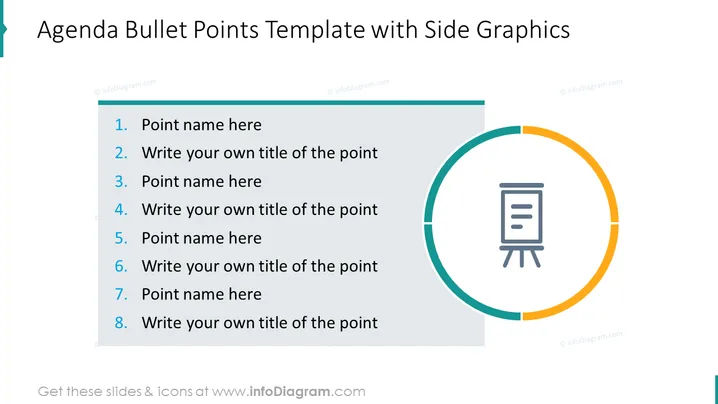
The slide provides a format for an agenda or list of bullet points, with placeholders for eight items. Each bullet point suggests where the user can insert a title or name for a point, such as "Point name here" or "Write your own title of the point." This templating approach allows for a structured presentation of ideas, topics, or discussion points in a clearly numbered format, which is useful for outlining the flow of a meeting, presentation, or event.
Graphical Look
- The slide's background is a clean white color.
- A teal-colored rectangular bar extends from the upper-left corner across the top, encompassing the title "Agenda Bullet Points Template with Side Graphics."
- Each agenda point is numbered from 1 to 8, alternately titled "Point name here" and "Write your own title of the point."
- The numbers are in bold and blue color, with the corresponding text in black, making it easy to differentiate each point.
- To the right, there is a circular shape divided into two colored semi-circles – teal and yellow.
- Inside this circular shape, an icon portraying a presentation easel with documents on it is present in gray tone.
- The overall design is modern and minimalistic, with a clear emphasis on the text.
The visual design of the slide is professional with a simplistic aesthetic, utilizing geometric shapes and a limited color palette to draw focus to the content.
Use Cases
- Introducing the agenda for corporate meetings to summarize the discussion points.
- Outlining the key topics of a workshop or training session.
- Creating a structured overview of a project presentation, indicating each stage or part of the project.
- Setting the sequence for a conference or seminar, detailing the order of speakers or sessions.
How to Edit
How to edit text & colors

How to expand / shorten diagram

How to Replace Icons in infoDiagram PPT


