
Reviews
Vos graphiques ajoutent une belle touche à mes présentations et je les ai récemment utilisés pour l'une de mes réunions générales. Votre boîte à outils ajoute du professionnalisme à mes diapositives. Au lieu d'utiliser des cliparts standards.
J'avais besoin d'un nouveau regard sur certaines de mes diapositives. J'ai essayé de trouver un moyen de créer un effet de pinceau, de souligner, d'accentuer, d'ajouter de la couleur et les marqueurs manuscrits étaient exactement ce qu'il fallait. Très facile à utiliser, facile à ajuster la taille, à changer la couleur. C'était une solution abordable et parfaite et je suis heureux de la recommander.
L'aspect net et épuré des graphiques, et le fait qu'il m'ait permis d'éditer et de changer facilement les couleurs pour les adapter au modèle, ont été les principales raisons de mon achat.
Description
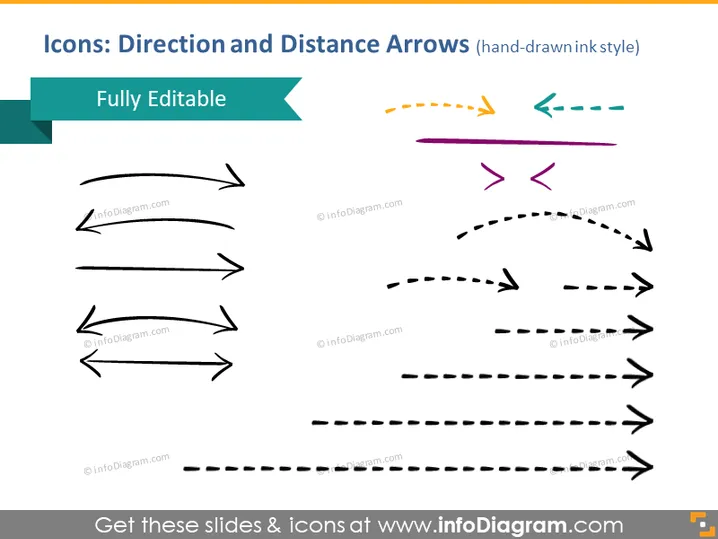
Icons: Direction and Distance Arrows (hand-drawn ink style)
Slide Content
The PowerPoint slide focuses on a set of hand-drawn style icons representing various directional and distance arrows. They are designed to be fully editable, giving users the ability to customize them for their presentations. The icons are drawn in ink style, which adds a touch of informality or creativity as compared to more traditional arrow graphics. The arrows come in different styles and curves indicating various types of movement or direction, such as straight, curved, dashed, and bidirectional.
Graphical Look
- The slide background is white, providing a clean and neutral canvas for the icons.
- There is a title at the top of the slide in a bold, dark font, overlaid on two overlapping rectangular shapes, one dark teal and a lighter turquoise banner that says "Fully Editable."
- A variety of arrow icons are displayed in two columns.
- The arrows vary in style: some are solid lines, others are dashed, and some have double-ended points.
- Each arrow is a different color or combination of colors, like black, purple, teal, and orange, adding visual interest.
- The arrows are also varied in direction, showing upwards, downwards, left, right, and diagonal orientations.
- Some arrows feature curves, bends, and angles to denote different types of movement paths.
The slide has a modern and artistic feel due to the hand-drawn style of the arrows, and the use of both bright and muted colors provides a contrast that makes the slide visually appealing.
Use Cases
- To illustrate different stages or directions in a process flow within business presentations.
- To represent various pathways or choices in decision-making scenarios.
- To visualize progress, trends, or dynamics in project management updates.
- To enhance visual storytelling by indicating movement, growth, regression, or cyclical processes.
How to Edit
How to edit text & colors

How to expand / shorten diagram

How to Replace Icons in infoDiagram PPT


