
Reviews
Ihre Grafiken verleihen meinen Präsentationen eine nette Note, und ich habe sie kürzlich für eines meiner All-Hands-Meetings verwendet. Ihre Toolbox verleiht meinen Folien Professionalität, anstatt Standard-Clipart zu verwenden.
Ich brauchte einen neuen Blick auf einige meiner Folien. Ich habe versucht, einen Weg zu finden, einen Pinselschlag-Effekt zu erzielen, um zu unterstreichen, hervorzuheben, Farbe hinzuzufügen, und die handgeschriebenen Markierungen waren genau das Richtige. Sehr einfach zu bedienen, leicht in der Größe zu ändern, die Farbe zu ändern. Es war eine erschwingliche, perfekte Lösung und ich empfehle sie gerne weiter.
Die klare, saubere Optik der Grafiken und die Tatsache, dass ich die Farben leicht bearbeiten und an die Vorlage anpassen konnte, war mein Hauptgrund für den Kauf.
Description
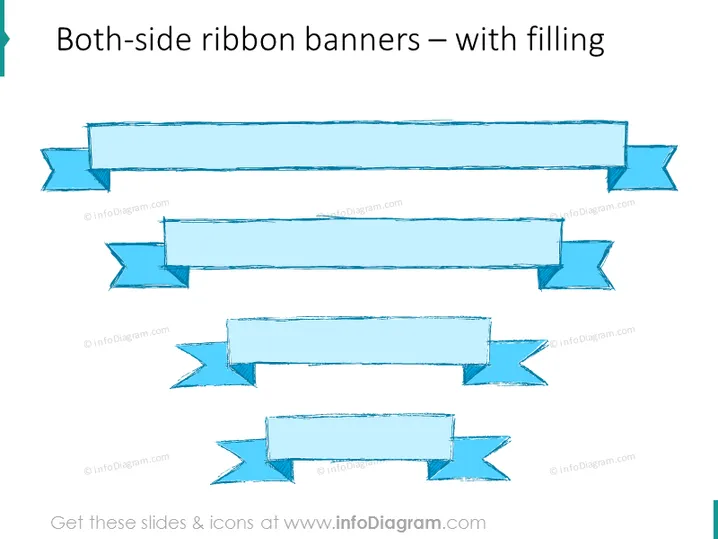
Both-side ribbon banners – with filling
Slide Content
The slide appears to showcase different styles of both-side ribbon banners with filling, which are graphical elements used to highlight information or headings in presentations. Each ribbon features a textured fill, giving it a three-dimensional appearance, and resembles a banner that is folded over at both ends, suggesting a classical or formal announcement style. These ribbons can be employed to emphasize key points or to mark distinct sections within a presentation.
Graphical Look
- The slide background is plain white, emphasizing the focus on the ribbon banners.
- There are four sets of ribbon banners centered horizontally on the slide.
- Each ribbon has a textured turquoise fill that imitates a brush-painted look, suggesting a handcrafted aesthetic.
- The ribbons are displayed with a slight shadow effect beneath them, which adds depth to the graphics.
- Varying in size and shape, the top two ribbons are longer with more pronounced folds, while the bottom two are shorter with less intricate folds.
- The topmost ribbon is the largest, with prominent waving folds at both ends, and the one directly below it is slightly smaller with more subtle waves.
The overall look of the slide emphasizes simplicity and focus on the decorative ribbon banners. The textured fill of the ribbons along with the shadow effect provides a tactile and three-dimensional quality to the slide.
Use Cases
- To highlight section titles or key points in business presentations to draw attention to important information.
- As part of an agenda slide to delineate different topics or sections with a visual marker that is easy to distinguish.
- Within marketing materials to emphasize special offers, discounts, or key benefits of a product or service.
- In awards or recognition slides to enhance the formality and significance of the awards being presented.
How to Edit
How to edit text & colors

How to expand / shorten diagram

How to Replace Icons in infoDiagram PPT


