
Reviews
Your graphics add a nice touch to my presentations and I recently used them for one of my all-hands meetings. Your toolbox adds professionalism to my slides. Instead of using standard clipart.
I needed a fresh look at some of my slides. I've tried to find a way to create a paintbrush effect, to underline, accentuate, add some color and the handwritten markers were just the things. Very easy to use, easy to size, change the color. It was an affordable, perfect solution and I'm happy to recommend it.
The crisp, clean look of the graphics, and the fact that it allowed me to easily edit and change the colors to match the template was my main reason for purchasing them.
Description
Advantages List Slide Template
Slide Content:
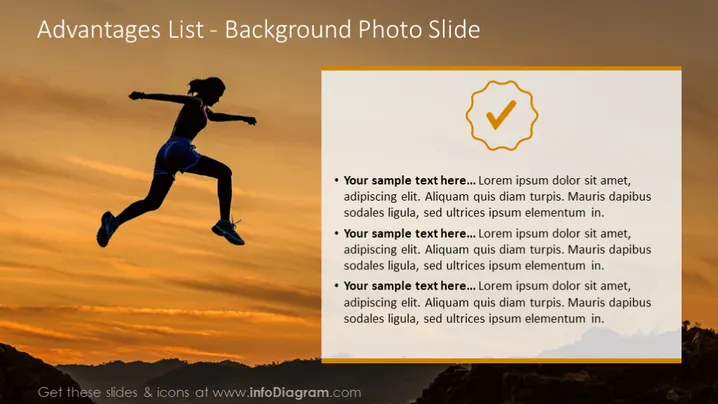
The slide is designed to outline various advantages or positive points, with three bullet points each prefaced by "Your sample text here..." followed by a standard Lorem Ipsum filler text. Each point presumably represents a distinct advantage, which in a practical application would be elaborated upon to explain how each contributes positively to the topic at hand.
Graphical Look:
- The slide has a large, background photo of a silhouetted person jumping against a sunset.
- To the right side, there is a white semi-transparent overlay for text readability.
- There are three bullet points, each starting with a bold "Your sample text here..." followed by placeholder text.
- The checkmark icon is golden, providing a visual association with success or positivity.
- The overall layout balances the dynamic background image with the informative overlay on the right.
The slide exudes an energetic and inspiring feel due to the action shot in the background, coupled with the structured, clean overlay for listing advantages. This design effectively merges visual stimulation with informative content.
Use Cases:
- Showcasing the benefits of a new company policy or initiative.
- Highlighting the key selling points of a product or service.
- Illustrating the positive outcomes of a successful project or strategy.
- Enhancing motivational presentations by visually representing success.
How to Edit
How to edit text & colors

How to expand / shorten diagram

How to Replace Icons in infoDiagram PPT


