
Reviews
Ihre Grafiken verleihen meinen Präsentationen eine nette Note, und ich habe sie kürzlich für eines meiner All-Hands-Meetings verwendet. Ihre Toolbox verleiht meinen Folien Professionalität, anstatt Standard-Clipart zu verwenden.
Ich brauchte einen neuen Blick auf einige meiner Folien. Ich habe versucht, einen Weg zu finden, einen Pinselschlag-Effekt zu erzielen, um zu unterstreichen, hervorzuheben, Farbe hinzuzufügen, und die handgeschriebenen Markierungen waren genau das Richtige. Sehr einfach zu bedienen, leicht in der Größe zu ändern, die Farbe zu ändern. Es war eine erschwingliche, perfekte Lösung und ich empfehle sie gerne weiter.
Die klare, saubere Optik der Grafiken und die Tatsache, dass ich die Farben leicht bearbeiten und an die Vorlage anpassen konnte, war mein Hauptgrund für den Kauf.
Description
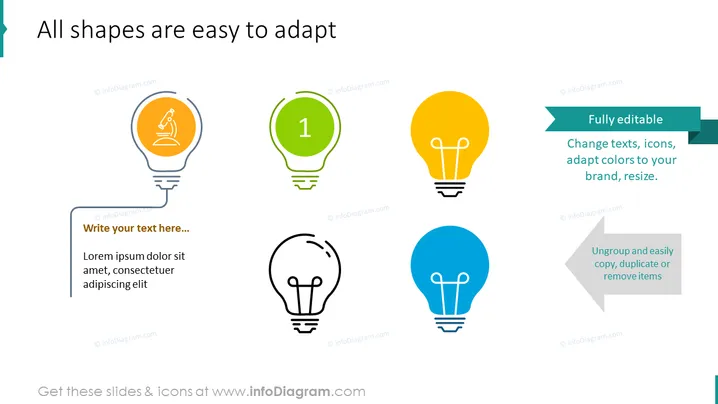
All shapes are easy to adapt
Slide Content
The PowerPoint slide presents a concept of customizable graphic elements. Each light bulb shape represents a different customization aspect: the orange one suggests creativity with a pencil icon, the green bulb denotes a starting point with number '1,' the yellow bulb signifies being fully editable, and the blue bulb emphasizes the ease of manipulation by copying, duplicating, or removing elements. Text boxes provide space for customization explanations, reinforcing the editable nature of these graphics.
Graphical Look
- Four light bulb graphics aligned horizontally, each a different color (orange, green, yellow, blue) with unique icons or text within them.
- A pencil icon inside the orange light bulb signifies creativity or editing.
- The green light bulb contains the number '1,' which might represent a step or the beginning of a process.
- The yellow bulb has accompanying text on a teal banner, emphasizing its fully editable nature.
- The blue light bulb is paired with a grey banner that introduces functionality like ungrouping, copying, duplicating, or removing items.
- A placeholder text box with 'Lorem ipsum' text is positioned beneath the first light bulb as an example for users to adapt.
- Each graphic is connected to its explanation with a line to delineate their corresponding functions.
The slide has a clean, modern look with a focus on simplicity and ease of understanding. The color scheme is harmonious and vibrant, drawing attention to each element's unique function.
Use Cases
- In workshops to illustrate the process of ideation and iteration within project development.
- During marketing presentations to showcase the brand's adaptability and customization capabilities.
- In product development meetings to discuss the stages of design and the flexibility of concepts.
- For educational purposes, explaining how to use design software or to demonstrate the principles of good slide design.
How to Edit
How to edit text & colors

How to expand / shorten diagram

How to Replace Icons in infoDiagram PPT


