
Your graphics add a nice touch to my presentations and I recently used them for one of my all-hands meetings. Your toolbox adds professionalism to my slides. Instead of using standard clipart.
Claude Jones, Director of Engineer, @Walmartlabs, USA
Your graphics add a nice touch to my presentations and I recently used them for one of my all-hands meetings. Your toolbox adds professionalism to my slides. Instead of using standard clipart.
Claude Jones, Director of Engineer, @Walmartlabs, USA
I needed a fresh look at some of my slides. I've tried to find a way to create a paintbrush effect, to underline, accentuate, add some color and the handwritten markers were just the things. Very easy to use, easy to size, change the color. It was an affordable, perfect solution and I'm happy to recommend it.
Anonymous, US
The crisp, clean look of the graphics, and the fact that it allowed me to easily edit and change the colors to match the template was my main reason for purchasing them.
Brandie Jenkins, E-learning Developer, USA
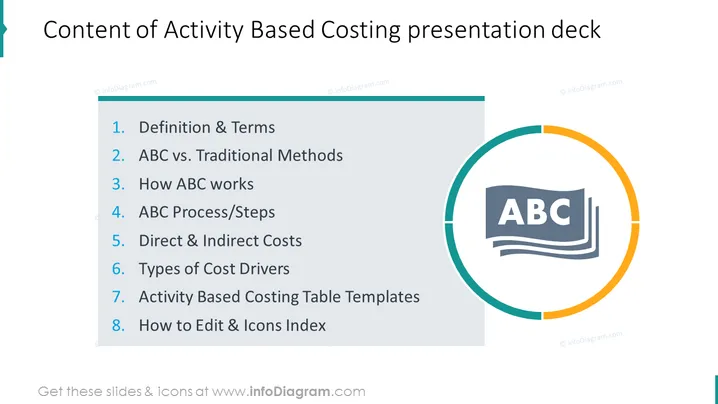
The slide presents the agenda for a presentation on Activity Based Costing (ABC). It lists eight key topics: 1) Definition & Terms—clarifying ABC's concepts, 2) ABC vs. Traditional Methods—comparing ABC with other accounting methods, 3) How ABC works—explaining the functionality of ABC, 4) ABC Process/Steps—outlining the procedure to implement ABC, 5) Direct & Indirect Costs—differentiating the two types of costs, 6) Types of Cost Drivers—identifying factors that cause costs, 7) Activity Based Costing Table Templates—tools for applying ABC, and 8) How to Edit & Icons Index—guidance on customizing the presentation templates.
The slide features a modern and clean design, with prominent use of blue and teal shades for emphasis and consistency. The icon and color elements create a focal point to the right, balancing the text-based content.




