
Reviews
Ihre Grafiken verleihen meinen Präsentationen eine nette Note, und ich habe sie kürzlich für eines meiner All-Hands-Meetings verwendet. Ihre Toolbox verleiht meinen Folien Professionalität, anstatt Standard-Clipart zu verwenden.
Ich brauchte einen neuen Blick auf einige meiner Folien. Ich habe versucht, einen Weg zu finden, einen Pinselschlag-Effekt zu erzielen, um zu unterstreichen, hervorzuheben, Farbe hinzuzufügen, und die handgeschriebenen Markierungen waren genau das Richtige. Sehr einfach zu bedienen, leicht in der Größe zu ändern, die Farbe zu ändern. Es war eine erschwingliche, perfekte Lösung und ich empfehle sie gerne weiter.
Die klare, saubere Optik der Grafiken und die Tatsache, dass ich die Farben leicht bearbeiten und an die Vorlage anpassen konnte, war mein Hauptgrund für den Kauf.
Description
Next Action Steps Diagram
Slide Content
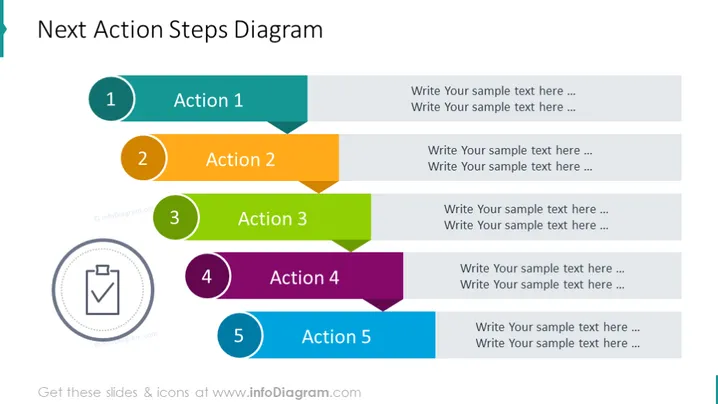
The slide presents a "Next Action Steps Diagram" which serves as a sequential guide for planning and task execution. It features five numbered steps, each associated with an "Action" label and placeholder text for further details. The labels and corresponding numbers are: "1 Action 1," "2 Action 2," "3 Action 3," "4 Action 4," and "5 Action 5." These labels suggest a structure for outlining a series of actions or tasks, providing a clear path for presentation viewers to understand the progression of steps in a proposed plan or project.
Graphical Look
- The slide title is in a large, bold font, placed at the top.
- A series of five horizontal bars, each representing an action step, with varying colors (teal, orange, green, purple, and blue).
- Each horizontal bar has a round number badge on the left and the corresponding action step label adjacent to it.
- Placeholder text is aligned right, opposite to each action step, indicating where the user can add descriptive text.
- A grayscale icon resembling a checkmark within a clipboard is placed in a circle to the left side of the bars, below the first step.
- The PowerPoint slide uses a white background with a clear and contrasting color scheme for the bars and badges to ensure readability.
The overall look of the slide is clean, modern, and organized. The use of color coding and numbers helps to differentiate between the action steps, guiding the viewer through the sequence of tasks or instructions.
Use Cases
- Presenting a project timeline or sequential task list in a business meeting.
- Outlining steps in a workflow or process during a training session.
- Displaying a strategic plan's components in a business strategy presentation.
- Summarizing action items at the end of a conference or workshop to clarify next steps.
How to Edit
How to edit text & colors

How to expand / shorten diagram

How to Replace Icons in infoDiagram PPT


