

Your graphics add a nice touch to my presentations and I recently used them for one of my all-hands meetings. Your toolbox adds professionalism to my slides. Instead of using standard clipart.
Claude Jones, Director of Engineer, @Walmartlabs, USA

Your graphics add a nice touch to my presentations and I recently used them for one of my all-hands meetings. Your toolbox adds professionalism to my slides. Instead of using standard clipart.
Claude Jones, Director of Engineer, @Walmartlabs, USA
I needed a fresh look at some of my slides. I've tried to find a way to create a paintbrush effect, to underline, accentuate, add some color and the handwritten markers were just the things. Very easy to use, easy to size, change the color. It was an affordable, perfect solution and I'm happy to recommend it.
Anonymous, US
The crisp, clean look of the graphics, and the fact that it allowed me to easily edit and change the colors to match the template was my main reason for purchasing them.
Brandie Jenkins, E-learning Developer, USA
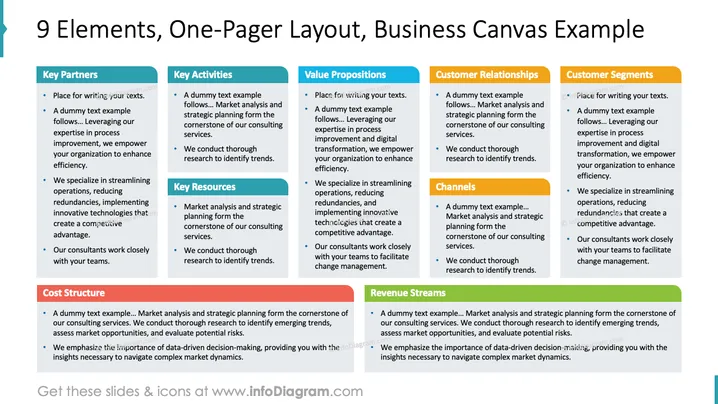
This slide provides a comprehensive overview of a business canvas with nine elements. Key Partners discuss partnerships for process improvement and efficiency. Key Activities cover market analysis and strategic planning. Value Propositions highlight digital transformation and competitive advantage. Customer Relationships and Customer Segments focus on tailored services and specialization. Key Resources involve research and innovation. Channels detail operational insights. Cost Structure and Revenue Streams emphasize data-driven decision-making and financial strategies.
Overall, the slide is visually organized with color-coded sections that clearly distinguish different components of a business canvas. Its neat layout helps streamline the information delivery effectively.



