
Reviews
Your slides are my "secret sauce" when it comes to presenting my ideas to clients. I save a lot of time.
J'avais un délai de livraison à respecter et je n'avais pas le temps de créer une variété de modèles de diapositives. Infodiagram m'a proposé des options faciles à télécharger et à personnaliser en fonction de mes besoins !
Vos diapositives suscitent souvent de précieux commentaires et idées de la part de mon équipe, ce qui améliore les diapositives finales.
Description
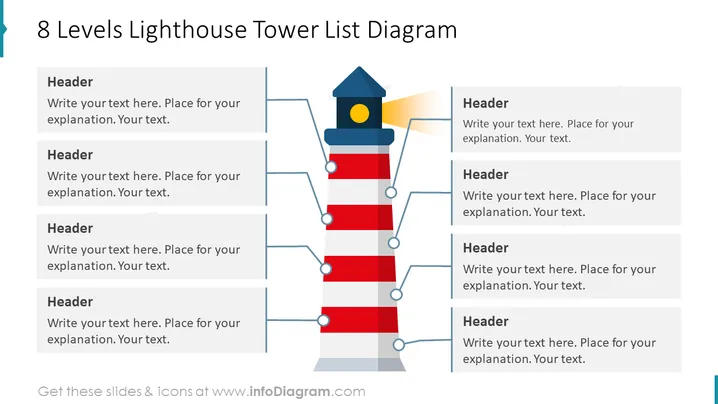
8 Levels Lighthouse Tower List Diagram
Slide Content
The slide depicts an 8-level lighthouse tower list diagram, serving as a metaphor for a structured list of items or concepts. Each level of the lighthouse corresponds to a list item, with space for a header and descriptive text. It appears designed to help presenters communicate multiple steps, stages, or levels in an organized manner, integrating both textual and visual information to facilitate understanding.
Graphical Look
- The central graphic is a stylized lighthouse with alternating red and white horizontal stripes.
- Eight connecting lines extend from the center of each lighthouse level to text boxes.
- Each text box contains a placeholder for a header and a description.
- To the left and right of the lighthouse, four text boxes are aligned with each of the eight lighthouse levels.
- The lighthouse cap is dark blue with a yellow circular window symbolizing the light.
- A yellow and orange light beam extends from the lighthouse window to the right side of the image.
- The design and icons are flat and geometric in style. The slide is visually balanced with a strong central image flanked by text boxes. The overall look is clean and modern, with a color scheme that reinforces the attention on the central lighthouse graphic.
Use Cases
- Illustrating a multi-stage process or procedure in a business presentation.
- Outlining hierarchical levels within an organization or project.
- Presenting milestones or phases in a project timeline.
- Demonstrating step-by-step guides to achieve a certain goal or objective in a training session.
How to Edit
How to edit text & colors

How to expand / shorten diagram

How to Replace Icons in infoDiagram PPT


