
Reviews
Sus gráficos añaden un toque agradable a mis presentaciones y recientemente los usé para una de mis reuniones generales. Su conjunto de herramientas añade profesionalismo a mis diapositivas. En lugar de usar imágenes prediseñadas estándar.
Necesitaba un aspecto fresco para algunas de mis diapositivas. Había intentado encontrar una forma de crear un efecto de pincel, de subrayar, acentuar, añadir algo de color y los marcadores escritos a mano fueron justo lo que necesitaba. Muy fácil de usar, fácil de ajustar el tamaño, cambiar el color. Fue una solución asequible y perfecta, y estoy feliz de recomendarla.
El aspecto nítido y limpio de los gráficos, y el hecho de que me permitiera editar y cambiar fácilmente los colores para que coincidieran con la plantilla fue mi principal razón para comprarlos.
Description
6 Steps Arrow Circle Cycle Template
Slide Content
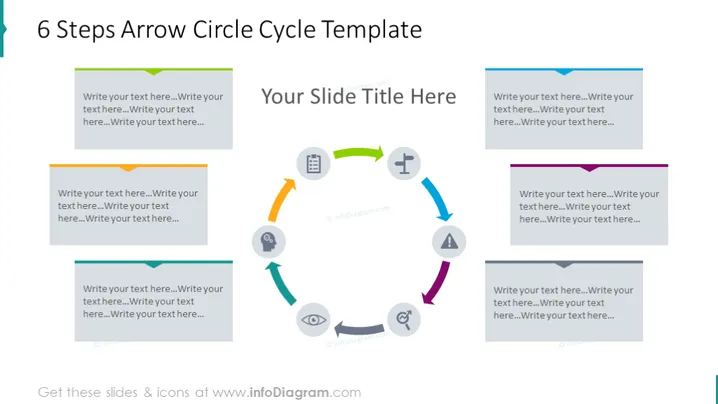
This PowerPoint slide illustrates a "6 Steps Arrow Circle Cycle Template" which appears to be a circular process diagram indicating progression or cycles in a process. The cycle is composed of six individual arrow-shaped blocks, each corresponding to a step in the process. These blocks are designed to input text, likely to describe each step of the process. For instance, 'Write your text here...' suggests that each block may be updated with specific descriptions pertinent to a presenter's needs, such as defining phases in a business plan, steps in a project lifecycle, or stages in problem-solving.
Graphical Look
- The slide's background is plain and light, possibly white or a very light grey.
- At the center top of the slide is the slide title in large, bold font.
- The slide features a large circular arrow process diagram occupying the center of the slide.
- Each segment of the arrow circle is color-coded, with alternating cool and warm colors, and has space for text input.
- There are six segments, each with an arrowhead, suggesting a clockwise motion.
- Each segment has a placeholder text "Write your text here..." which indicates where the user can add their content.
- Icons are present within each segment, adding a visual cue to what each step represents.
- The arrows are thick and stylistically curved, creating a smooth, circular flow.
The overall look of the slide is modern and clean, with a color scheme that alternates between cool and warm tones. The slide's design is visually balanced, using color, shape, and icons to guide viewers through the content.
Use Cases
- Outlining the stages of a project in a project management presentation, clearly demonstrating the flow from one phase to the next.
- Presenting a company's business cycle or process flow during a strategic planning meeting or to stakeholders.
- Demonstrating a continuous improvement process such as Six Sigma or PDCA (Plan, Do, Check, Act, cycle) during quality management or process optimization workshops.
- Illustrating the steps in product development or marketing strategy in a business or marketing plan presentation.
How to Edit
How to edit text & colors

How to expand / shorten diagram

How to Replace Icons in infoDiagram PPT


