
Reviews
Sus gráficos añaden un toque agradable a mis presentaciones y recientemente los usé para una de mis reuniones generales. Su conjunto de herramientas añade profesionalismo a mis diapositivas. En lugar de usar imágenes prediseñadas estándar.
Necesitaba un aspecto fresco para algunas de mis diapositivas. Había intentado encontrar una forma de crear un efecto de pincel, de subrayar, acentuar, añadir algo de color y los marcadores escritos a mano fueron justo lo que necesitaba. Muy fácil de usar, fácil de ajustar el tamaño, cambiar el color. Fue una solución asequible y perfecta, y estoy feliz de recomendarla.
El aspecto nítido y limpio de los gráficos, y el hecho de que me permitiera editar y cambiar fácilmente los colores para que coincidieran con la plantilla fue mi principal razón para comprarlos.
Description
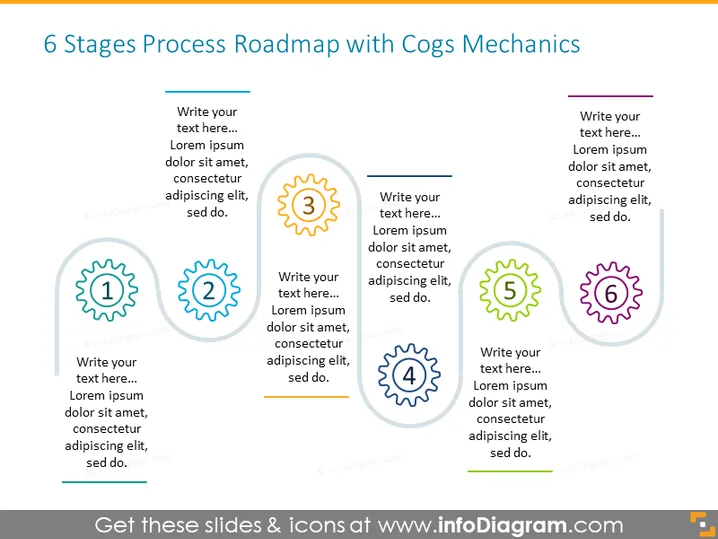
6 Stages Process Roadmap with Cogs Mechanics
Slide Content
The PowerPoint slide titled "6 Stages Process Roadmap with Cogs Mechanics" visually represents a process divided into six distinct stages, indicated by numbered cogwheel symbols. Each cogwheel symbolizes a step in a process or a milestone in a project roadmap, with a dedicated space provided for textual explanations. The cog icons, numbered from 1 to 6, provide a sequence, suggesting a mechanical or systematic progression.
Graphical Look
- The slide background is a solid, light grey color.
- Six cogwheel icons are evenly distributed across the slide, with numbers from 1 to 6 in their centers.
- Each cogwheel has a different color to distinguish the stages: cyan, light blue, orange, dark blue, green, and purple.
- Horizontal lines connect the cogs, suggesting a sequence and flow from left to right.
- Beside each cogwheel icon is a text box with placeholder text for custom descriptions.
- Each text box is aligned with its corresponding cog and has matching border colors.
- The overall design utilizes flat graphics with a modern and clean aesthetic.
The slide is bright and colorful, with a clear structure that emphasizes progression and connectivity. The use of cogwheels and connecting lines creates a visual metaphor for interlocking steps or processes in a mechanical or systematic fashion.
Use Cases
- To illustrate a project timeline or a product development lifecycle during business presentations.
- To communicate business strategy steps or the stages of a business process in training materials.
- To showcase organization transformation or change management processes in corporate briefings.
- To represent a workflow or procedure in instructional or informational sessions, making it easier for the audience to follow.
How to Edit
How to edit text & colors

How to expand / shorten diagram

How to Replace Icons in infoDiagram PPT


