
Reviews
Vos graphiques ajoutent une belle touche à mes présentations et je les ai récemment utilisés pour l'une de mes réunions générales. Votre boîte à outils ajoute du professionnalisme à mes diapositives. Au lieu d'utiliser des cliparts standards.
J'avais besoin d'un nouveau regard sur certaines de mes diapositives. J'ai essayé de trouver un moyen de créer un effet de pinceau, de souligner, d'accentuer, d'ajouter de la couleur et les marqueurs manuscrits étaient exactement ce qu'il fallait. Très facile à utiliser, facile à ajuster la taille, à changer la couleur. C'était une solution abordable et parfaite et je suis heureux de la recommander.
L'aspect net et épuré des graphiques, et le fait qu'il m'ait permis d'éditer et de changer facilement les couleurs pour les adapter au modèle, ont été les principales raisons de mon achat.
Description
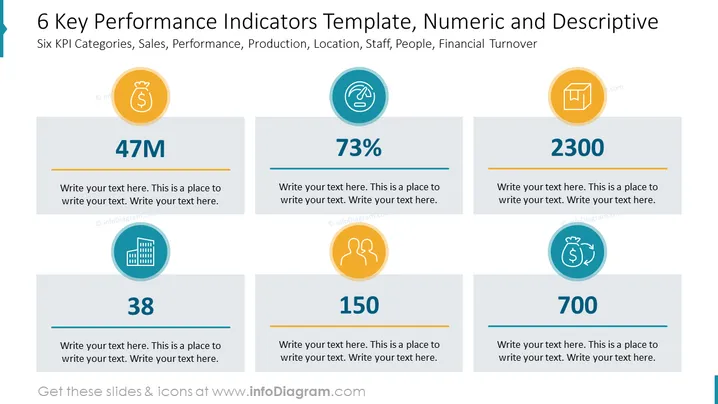
6 Key Performance Indicators Template, Numeric and Descriptive
Slide Content
The slide presents six key performance indicators (KPIs) in the categories of Sales, Performance, Production, Location, Staff, People, and Financial Turnover. Each indicator is accompanied by a number and a descriptive icon, visually representing the metric's content: a money bag for Sales, a touching hand for Performance, a chart for Production, a building for Location, three silhouetted figures for Staff/People, and a money exchange icon for Financial Turnover. Placeholder text allows for a detailed explanation of each KPI's significance and current status.
Graphical Look
- Six circular icons with varying colors and symbols represent different KPIs.
- Large numerical values are prominently displayed beneath each icon to highlight key metrics.
- A horizontal orange-colored bar beneath each number adds visual emphasis to the metrics.
- Placeholder text boxes below each bar provide a space for additional information or commentary.
- The slide background is white, offering a clean and uncluttered aesthetic for the content.
- Each icon and number pair is enclosed in a light gray rectangular box with soft rounded corners, contributing to a structured layout.
The overall look of the slide is modern and clean, with a clear emphasis on the numerical data presented through significant typography and contrasting icons. The use of color and distinctive graphical elements helps to distinguish each KPI visually.
Use Cases
- Presenting a company's key numeric metrics during a quarterly business review to stakeholders.
- Summarizing sales, performance, and other business functions in a visually engaging way for internal meetings.
- Including in company performance dashboards that are distributed to team members or departments.
- Incorporating into investor pitch decks to illustrate the company's current financial and operational status with clear, concise data points.
How to Edit
How to edit text & colors

How to expand / shorten diagram

How to Replace Icons in infoDiagram PPT


