
Reviews
Sus gráficos añaden un toque agradable a mis presentaciones y recientemente los usé para una de mis reuniones generales. Su conjunto de herramientas añade profesionalismo a mis diapositivas. En lugar de usar imágenes prediseñadas estándar.
Necesitaba un aspecto fresco para algunas de mis diapositivas. Había intentado encontrar una forma de crear un efecto de pincel, de subrayar, acentuar, añadir algo de color y los marcadores escritos a mano fueron justo lo que necesitaba. Muy fácil de usar, fácil de ajustar el tamaño, cambiar el color. Fue una solución asequible y perfecta, y estoy feliz de recomendarla.
El aspecto nítido y limpio de los gráficos, y el hecho de que me permitiera editar y cambiar fácilmente los colores para que coincidieran con la plantilla fue mi principal razón para comprarlos.
Description
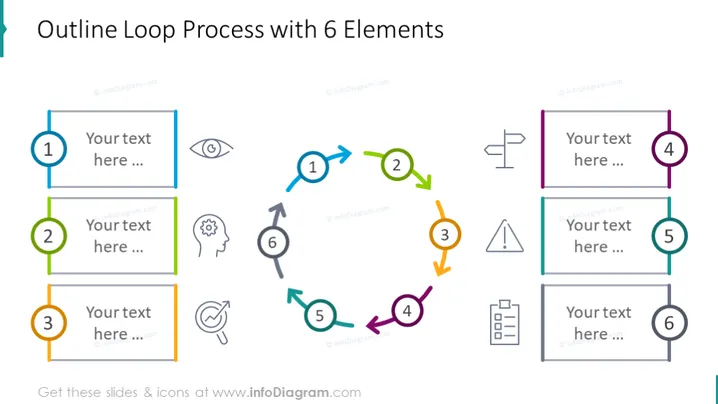
Outline Loop Process with 6 Elements
Slide Content
The PowerPoint slide titled "Outline Loop Process with 6 Elements" visually represents a cyclic process with six interconnected stages. Each stage is indicated by a numbered circle, connected by arrows to denote the sequence and loop of the process. The layout allows for text descriptions beside each stage, helping to elaborate on the function or activity associated with each part of the cycle: (1) represents the beginning, (2) the second stage, and so forth, looping back after (6).
Graphical Look
- The slide background is white, providing a neutral canvas for the content.
- Six numbered circles in different colors (blue, green, yellow, purple, light blue, and grey) are arranged to form a loop.
- Each circle is connected by a colored arrow that matches the circle's color, creating a visual flow from one element to the next.
- Text placeholders are aligned next to each circle, with ample space for customization.
- A variety of grey scale icons are situated between certain arrows, adding visual interest and implying possible actions or considerations at those junctures.
- The slide uses a mix of solid and outlined fonts, balancing visual weight and providing emphasis where needed.
The overall look of the slide is clean and modern, with a vibrant, color-coded scheme that helps distinguish each stage of the process. The use of arrows and positioning creates a sense of movement and interconnectivity among the elements.
Use Cases
- Illustrating phases of a project lifecycle during a business presentation.
- Explaining stages of product development in a marketing meeting.
- Describing a continuous improvement cycle in a quality management training session.
- Demonstrating feedback or communication loops in an organizational structure during a team-building workshop.
How to Edit
How to edit text & colors

How to expand / shorten diagram

How to Replace Icons in infoDiagram PPT


