
Reviews
Sus gráficos añaden un toque agradable a mis presentaciones y recientemente los usé para una de mis reuniones generales. Su conjunto de herramientas añade profesionalismo a mis diapositivas. En lugar de usar imágenes prediseñadas estándar.
Necesitaba un aspecto fresco para algunas de mis diapositivas. Había intentado encontrar una forma de crear un efecto de pincel, de subrayar, acentuar, añadir algo de color y los marcadores escritos a mano fueron justo lo que necesitaba. Muy fácil de usar, fácil de ajustar el tamaño, cambiar el color. Fue una solución asequible y perfecta, y estoy feliz de recomendarla.
El aspecto nítido y limpio de los gráficos, y el hecho de que me permitiera editar y cambiar fácilmente los colores para que coincidieran con la plantilla fue mi principal razón para comprarlos.
Description
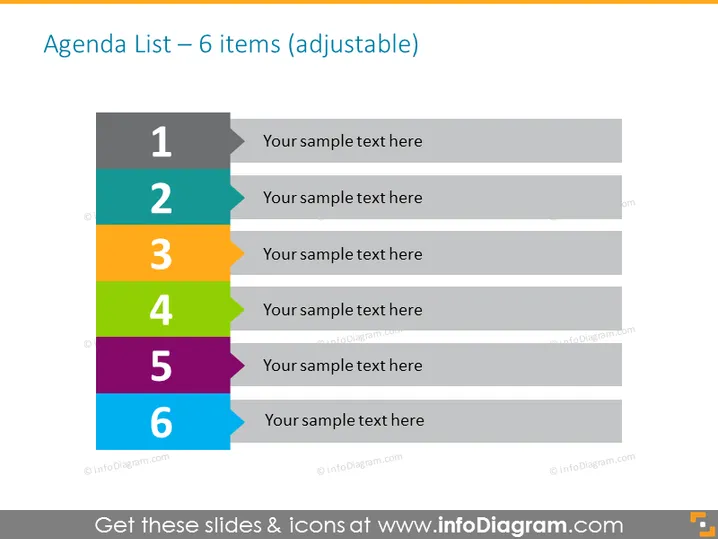
Agenda List – 6 items (adjustable)
Slide Content
The slide presents an "Agenda List" with six key points, each represented by a numbered bar and space for corresponding text. These could signify an outline of topics for a meeting, sequence of events, or steps in a process. Given the adjustable nature, it appears designed for customization to suit specific presentation needs. Each item is meant for a brief description of agenda topics or steps in a sequential process, allowing the presenter to overview key points.
Graphical Look
- A title at the top of the slide stating "Agenda List – 6 items (adjustable)" in a large, bold font.
- Numbered vertical bars on the left side, with each bar colored differently: gray, blue, green, orange, purple, and pink, corresponding to numbers 1 through 6.
- On the right of each colored bar, there are light gray placeholders for text aligned horizontally, indicating where descriptive text should be added.
- The font color of the text within the gray placeholders is dark, providing a contrast against the light background for readability.
- The overall design is clean and modern, with a flat design aesthetic and no additional decorative elements.
The slide has a professional and straightforward aesthetic, using a clear, color-coded system for organization. Its simplicity ensures focus on the content rather than the design.
Use Cases
- Used in business meetings to outline the agenda and keep the discussion focused on pre-defined topics.
- In workshops, to provide a structured flow of the activities or sessions planned.
- For project management presentations, indicating the phases or milestones of a project.
- During a conference or seminar, to display the schedule or list of events for participants.
How to Edit
How to edit text & colors

How to expand / shorten diagram

How to Replace Icons in infoDiagram PPT


