
Reviews
Ihre Grafiken verleihen meinen Präsentationen eine nette Note, und ich habe sie kürzlich für eines meiner All-Hands-Meetings verwendet. Ihre Toolbox verleiht meinen Folien Professionalität, anstatt Standard-Clipart zu verwenden.
Ich brauchte einen neuen Blick auf einige meiner Folien. Ich habe versucht, einen Weg zu finden, einen Pinselschlag-Effekt zu erzielen, um zu unterstreichen, hervorzuheben, Farbe hinzuzufügen, und die handgeschriebenen Markierungen waren genau das Richtige. Sehr einfach zu bedienen, leicht in der Größe zu ändern, die Farbe zu ändern. Es war eine erschwingliche, perfekte Lösung und ich empfehle sie gerne weiter.
Die klare, saubere Optik der Grafiken und die Tatsache, dass ich die Farben leicht bearbeiten und an die Vorlage anpassen konnte, war mein Hauptgrund für den Kauf.
Description
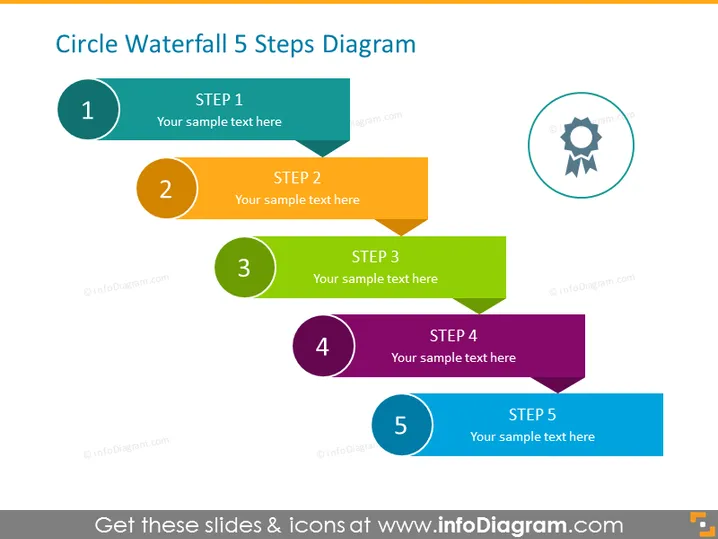
Circle Waterfall 5 Steps Diagram
Slide Content
The slide presents a Circle Waterfall 5 Steps Diagram, which is likely a process flow or a step-by-step progression guideline. Each numbered step is represented by a circular element connected to a rectangular speech bubble with space for descriptive text. Step 1 begins with a teal color, progressing through orange, green, purple, and ending with teal again at Step 5, illustrating sequence and interconnection through color differentiation and positioning.
Graphical Look
- The slide background is white, ensuring that the colorful diagram stands out.
- At the top left, there is a bold title in dark gray capitalized font.
- Five circular elements with numbers from 1 to 5, each in a different color, are aligned diagonally across the slide.
- Each circular element is linked to a correspondingly colored rectangular shape with a cut corner, which resembles a speech bubble.
- Each rectangle features a lighter shade header tag with the word "STEP" followed by the step number, and a placeholder text area.
- To the right, a gear-like badge icon encircled by a dashed line represents perhaps an end goal, achievement, or certification.
- The circular numbers and the rectangular speech bubbles are sequentially connected with lines to indicate flow.
The slide uses a clean and modern design, with vibrant colors to differentiate each step and guide the viewer's eye through the process. The badge-like icon suggests a sense of accomplishment or a specific outcome related to the steps.
Use Cases
- To outline a step-by-step process or a phased project plan in a business meeting.
- To visualize a sequence of actions or initiatives in a marketing strategy presentation.
- To communicate the stages of product development or service delivery in a cross-functional team update.
- To depict workflow or procedural steps during a training or educational session.
How to Edit
How to edit text & colors

How to expand / shorten diagram

How to Replace Icons in infoDiagram PPT


