
Reviews
Your graphics add a nice touch to my presentations and I recently used them for one of my all-hands meetings. Your toolbox adds professionalism to my slides. Instead of using standard clipart.
I needed a fresh look at some of my slides. I've tried to find a way to create a paintbrush effect, to underline, accentuate, add some color and the handwritten markers were just the things. Very easy to use, easy to size, change the color. It was an affordable, perfect solution and I'm happy to recommend it.
The crisp, clean look of the graphics, and the fact that it allowed me to easily edit and change the colors to match the template was my main reason for purchasing them.
Description
5 Open Puzzle Integration
Slide Content
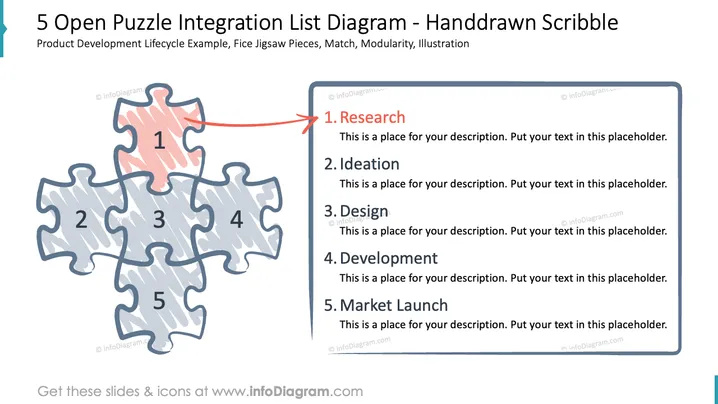
The slide, titled "5 Open Puzzle Integration," visualizes a product development lifecycle using a jigsaw puzzle metaphor. Each of the five interlocking puzzle pieces represents a distinct phase of the process: 1. Research; 2. Ideation, the conceptualization stage; 3. Design, where product specifications are detailed; 4. Development, the actual creation of the product; and 5. Market Launch, when the product is introduced to consumers. Each piece is numbered and connected, emphasizing the sequence and interdependency of the stages.
Graphical Look
- The main graphic is a jigsaw puzzle comprising five pieces with a hand-drawn aesthetic.
- Each puzzle piece is shaded differently, symbolizing a distinct stage in the process.
- The central piece is colored in pink and slightly elevated, with a red arrow pointing to it, indicating the starting point, "1. Research."
- Other pieces are colored in a lighter blue-gray tone, contributing to the visual hierarchy that emphasizes the first piece.
- The puzzle pieces are arranged in a cohesive layout that forms an incomplete rectangle, suggesting an ongoing process.
- Text boxes aligned to the right of the slide correspond to each puzzle piece, numbered and titled to mirror the process stages. These boxes provide dedicated space for additional details or descriptions.
The overall look of the slide is playful yet professional, with a clear emphasis on the sequential nature of product development. The hand-drawn style of the puzzle pieces adds a creative and approachable feel to the presentation.
Use Cases
- Illustrating the stages in a product development process during an internal team meeting or strategy session.
- Training new employees on the company's product lifecycle methodology.
- Presenting a project's progress to stakeholders by highlighting completed and upcoming phases.
- Using in startup pitch presentations to explain the go-to-market strategy and development timeline.
How to Edit
How to edit text & colors

How to expand / shorten diagram

How to Replace Icons in infoDiagram PPT


