
Reviews
Sus gráficos añaden un toque agradable a mis presentaciones y recientemente los usé para una de mis reuniones generales. Su conjunto de herramientas añade profesionalismo a mis diapositivas. En lugar de usar imágenes prediseñadas estándar.
Necesitaba un aspecto fresco para algunas de mis diapositivas. Había intentado encontrar una forma de crear un efecto de pincel, de subrayar, acentuar, añadir algo de color y los marcadores escritos a mano fueron justo lo que necesitaba. Muy fácil de usar, fácil de ajustar el tamaño, cambiar el color. Fue una solución asequible y perfecta, y estoy feliz de recomendarla.
El aspecto nítido y limpio de los gráficos, y el hecho de que me permitiera editar y cambiar fácilmente los colores para que coincidieran con la plantilla fue mi principal razón para comprarlos.
Description
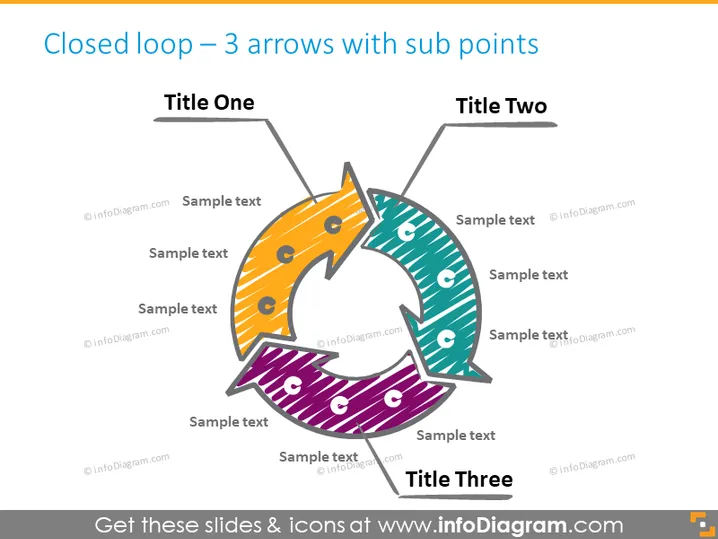
Closed loop – 3 arrows with sub points
Slide Content
This PowerPoint slide features a diagram that illustrates a closed-loop system comprising three arrows, each connecting back to the start, indicative of a cyclical process. Each arrow is associated with a title—Title One, Title Two, Title Three—and further subdivided into smaller segments with placeholders for sample text. This structure is designed to represent a continuous sequence of steps or stages and is particularly useful for explaining processes that are iterative or have a feedback loop, where each phase is critical for the cycle to continue.
Graphical Look
- Center-aligned, large title text "Closed loop — 3 arrows with sub points" at the top
- Three thick arrows arranged in a circular pattern, each with a different color (yellow, green, purple)
- Arrows have a unique dotted pattern, adding texture to the design
- Each arrow is divided into segments with a lighter shade and icons suggesting placeholders for sub-points
- The arrows connect end-to-end, creating a continuous loop
- Lines extending to text boxes labeled "Title One," "Title Two," and "Title Three" at the terminus of each arrow
- Each text box is associated with lines for additional sample text, aligned horizontally
The slide is visually dynamic, with a central circular motif of arrows conveying movement and interconnectivity. The color coding and segmentation of the arrows allow for clear differentiation of the components within the cycle.
Use Cases
- For illustrating continuous or cyclical business processes where each step leads to the next, such as the product life cycle or quality improvement cycles.
- In training materials to explain concepts like feedback loops in systems thinking or the circular economy.
- To demonstrate the stages of a project where stages are recurrent, like in agile software development iterations or marketing campaigns.
- As a visual aid in strategic planning sessions to discuss and work through recurring processes or operations that require monitoring and optimization.
How to Edit
How to edit text & colors

How to expand / shorten diagram

How to Replace Icons in infoDiagram PPT


