

Your graphics add a nice touch to my presentations and I recently used them for one of my all-hands meetings. Your toolbox adds professionalism to my slides. Instead of using standard clipart.
Claude Jones, Director of Engineer, @Walmartlabs, USA

Your graphics add a nice touch to my presentations and I recently used them for one of my all-hands meetings. Your toolbox adds professionalism to my slides. Instead of using standard clipart.
Claude Jones, Director of Engineer, @Walmartlabs, USA
I needed a fresh look at some of my slides. I've tried to find a way to create a paintbrush effect, to underline, accentuate, add some color and the handwritten markers were just the things. Very easy to use, easy to size, change the color. It was an affordable, perfect solution and I'm happy to recommend it.
Anonymous, US
The crisp, clean look of the graphics, and the fact that it allowed me to easily edit and change the colors to match the template was my main reason for purchasing them.
Brandie Jenkins, E-learning Developer, USA
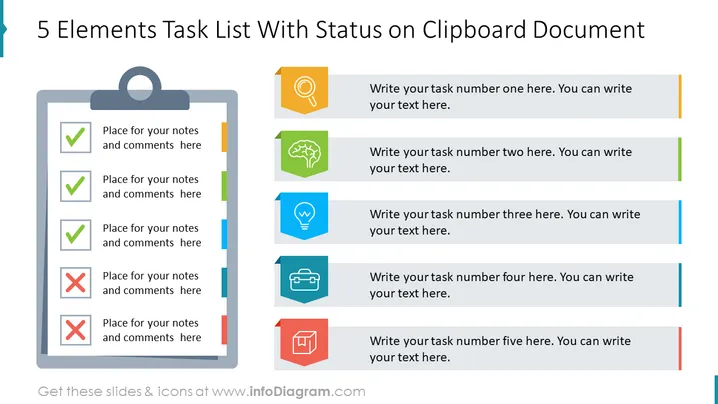
The slide depicts a task checklist titled "5 Elements Task List With Status on Clipboard Document," featuring a graphic representation of a clipboard with a list of five tasks. Each task has a checkbox indicating its status—three are marked with green checkmarks (completed), and two with red crosses (incomplete). To the right, there are symbolic icons paired with text fields meant for task descriptions: a magnifying glass symbolizes analysis or search, a brain for brainstorming or ideas, a lightbulb for innovation or inspiration, a briefcase for business tasks, and a chart for reporting or progress tracking.
The slide has a balanced, professional layout that visually separates task status on the clipboard from the task details with icons. Its color-coding and iconography enhance readability and provide a quick understanding of tasks' nature and status.



