
Reviews
Sus gráficos añaden un toque agradable a mis presentaciones y recientemente los usé para una de mis reuniones generales. Su conjunto de herramientas añade profesionalismo a mis diapositivas. En lugar de usar imágenes prediseñadas estándar.
Necesitaba un aspecto fresco para algunas de mis diapositivas. Había intentado encontrar una forma de crear un efecto de pincel, de subrayar, acentuar, añadir algo de color y los marcadores escritos a mano fueron justo lo que necesitaba. Muy fácil de usar, fácil de ajustar el tamaño, cambiar el color. Fue una solución asequible y perfecta, y estoy feliz de recomendarla.
El aspecto nítido y limpio de los gráficos, y el hecho de que me permitiera editar y cambiar fácilmente los colores para que coincidieran con la plantilla fue mi principal razón para comprarlos.
Description
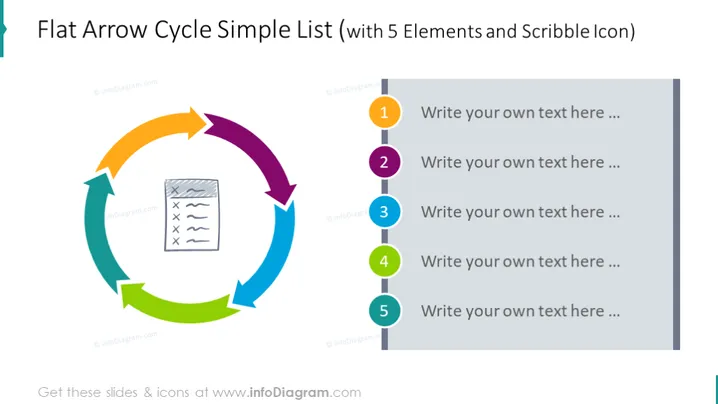
Flat Arrow Cycle Simple List (with 5 Elements and Scribble Icon)
Slide Content
The "Flat Arrow Cycle Simple List" illustrates a continuous process or cycle with five key components, denoted by flat arrow shapes connecting in a circular flow. Each arrow points towards the next, symbolizing sequential steps or stages in a process. A central scribble icon, resembling a document with text and checkmarks, suggests that these steps could pertain to tasks or checks involved in a workflow or a list that needs to be addressed in a cyclical manner.
Graphical Look
- Five colorful arrow shapes form a circular pattern in the center of the slide, each arrow a different color: orange, dark purple, blue, teal, and green.
- A central square icon featuring a scribble that resembles a document with lines of text and checkmarks.
- Numbered labels from 1 to 5, each with a corresponding text box for customization, are aligned on the right-hand side of the slide.
- The arrows and the central icon are flat with no gradients or shading, contributing to a modern and clean aesthetic.
- The color palette is bright and varied, providing visual distinction between the elements.
The overall look of the slide is colorful and modern, with a clear visual metaphor for a cycle or process that is both informative and aesthetically appealing.
Use Cases
- To illustrate a business process where there are five main steps or stages that are interconnected and cyclical, such as the stages of continuous improvement or Agile methodology cycles.
- To visually present a marketing strategy that involves a series of actions that feed into one another to create a looped system, like a customer feedback loop.
- To depict the cycle of product development, from idea generation to launch and then back to the feedback for the next iteration.
- For educational purposes, to explain concepts that involve iterative processes, such as the scientific method or design thinking stages.
How to Edit
How to edit text & colors

How to expand / shorten diagram

How to Replace Icons in infoDiagram PPT


