
Reviews
Ihre Grafiken verleihen meinen Präsentationen eine nette Note, und ich habe sie kürzlich für eines meiner All-Hands-Meetings verwendet. Ihre Toolbox verleiht meinen Folien Professionalität, anstatt Standard-Clipart zu verwenden.
Ich brauchte einen neuen Blick auf einige meiner Folien. Ich habe versucht, einen Weg zu finden, einen Pinselschlag-Effekt zu erzielen, um zu unterstreichen, hervorzuheben, Farbe hinzuzufügen, und die handgeschriebenen Markierungen waren genau das Richtige. Sehr einfach zu bedienen, leicht in der Größe zu ändern, die Farbe zu ändern. Es war eine erschwingliche, perfekte Lösung und ich empfehle sie gerne weiter.
Die klare, saubere Optik der Grafiken und die Tatsache, dass ich die Farben leicht bearbeiten und an die Vorlage anpassen konnte, war mein Hauptgrund für den Kauf.
Description
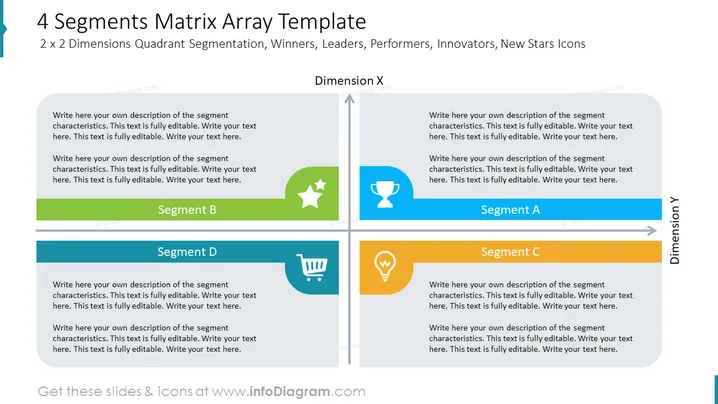
4 Segments Matrix Array Template
Slide Content
The slide is designed to present a matrix array in a 2 x 2 format, demonstrating a quadrant segmentation with associated icons. It breaks down categories along two dimensions, labeled as Dimension X and Dimension Y, with each quadrant containing a placeholder text and a unique icon symbolizing a specific type of segment: Segment A has a lightbulb icon, Segment B a star, Segment C a trophy, and Segment D a shopping cart. These icons suggest a focus on ideas or innovation (lightbulb), success or quality (star), competition or achievement (trophy), and commerce or consumer behavior (shopping cart).
Graphical Look
- The slide background is white with a blue gradient dividing line creating a clear distinction between the header and the content.
- There is a large, bold title text at the top of the slide, using a dark font color that is easy to read against the background.
- The title is followed by a subtitle that explains the icons present in each quadrant.
- The slide is divided into four quadrants, each with a different light color—green, blue, yellow, and teal.
- In the center of each quadrant is a colored icon: a green star, a blue trophy, a yellow lightbulb, and a teal shopping cart.
- On the right and top edges are labels "Dimension Y" and "Dimension X" respectively, oriented perpendicularly to the text in the other quadrants.
- Each quadrant features a placeholder text box with instructions for customizing the content.
- The text within the placeholders is in a lighter color, suggesting it is editable and meant to be replaced.
The overall layout is clean and professional, using a straightforward design that aids in the illustration of the conceptual framework with distinct visual elements.
Use Cases
- To segment a market into four key categories during a marketing strategy presentation.
- To analyze organizational roles or competencies during a business management meeting.
- To categorize and discuss different types of products or services in a product development workshop.
- To facilitate discussion around strategic placement of business units or teams based on performance metrics during a corporate strategy session.
How to Edit
How to edit text & colors

How to expand / shorten diagram

How to Replace Icons in infoDiagram PPT


