
Reviews
Ihre Grafiken verleihen meinen Präsentationen eine nette Note, und ich habe sie kürzlich für eines meiner All-Hands-Meetings verwendet. Ihre Toolbox verleiht meinen Folien Professionalität, anstatt Standard-Clipart zu verwenden.
Ich brauchte einen neuen Blick auf einige meiner Folien. Ich habe versucht, einen Weg zu finden, einen Pinselschlag-Effekt zu erzielen, um zu unterstreichen, hervorzuheben, Farbe hinzuzufügen, und die handgeschriebenen Markierungen waren genau das Richtige. Sehr einfach zu bedienen, leicht in der Größe zu ändern, die Farbe zu ändern. Es war eine erschwingliche, perfekte Lösung und ich empfehle sie gerne weiter.
Die klare, saubere Optik der Grafiken und die Tatsache, dass ich die Farben leicht bearbeiten und an die Vorlage anpassen konnte, war mein Hauptgrund für den Kauf.
Description
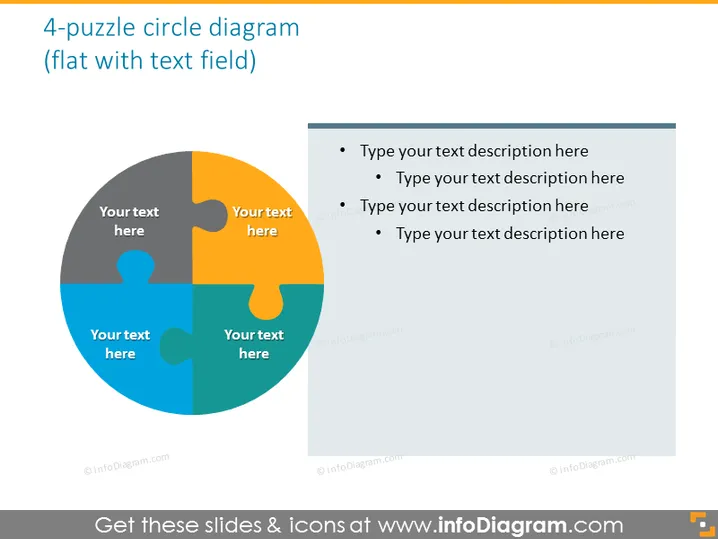
4-puzzle circle diagram (flat with text field)
Slide Content
The slide displays a 4-piece puzzle circle diagram indicating interconnected components. Each puzzle piece is assigned a different color and place for text, suggesting that the user can annotate each section with relevant information. The right side features a grey text box with bullet points, prompting users to type detailed descriptions correlating with each of the four puzzle sections. These representations typically serve to symbolize the integration of ideas or the need for various elements to complete a concept or project.
Graphical Look
- A large circular puzzle graphic dominates the slide, positioned centrally to the left.
- The puzzle is comprised of four interconnected pieces, each a distinct color: orange, yellow, blue, and green.
- Each puzzle piece contains a placeholder text labeled "Your text here," suggesting an area for customization.
- To the right, a rectangular grey text box contains four bullet points with sub-bullets, all of which prompt "Type your text description here," matched with the corresponding puzzle piece.
- The color scheme is bright, yet professional with a muted background to ensure the focus remains on the content.
The overall look of the slide is clean and professional, utilizing a vibrant color palette that draws attention to each section of the puzzle graphic. The design promotes engagement and interaction by encouraging the audience to consider how the pieces of the puzzle metaphorically fit together.
Use Cases
- Demonstrating how different team roles or departments contribute to a shared objective.
- Explaining the integration of a product's features or services to stakeholders.
- Illustrating the steps or components necessary for a strategic plan or initiative.
- Visualizing the relationship between parts of a system in educational presentations.
How to Edit
How to edit text & colors

How to expand / shorten diagram

How to Replace Icons in infoDiagram PPT


