
Reviews
Vos graphiques ajoutent une belle touche à mes présentations et je les ai récemment utilisés pour l'une de mes réunions générales. Votre boîte à outils ajoute du professionnalisme à mes diapositives. Au lieu d'utiliser des cliparts standards.
J'avais besoin d'un nouveau regard sur certaines de mes diapositives. J'ai essayé de trouver un moyen de créer un effet de pinceau, de souligner, d'accentuer, d'ajouter de la couleur et les marqueurs manuscrits étaient exactement ce qu'il fallait. Très facile à utiliser, facile à ajuster la taille, à changer la couleur. C'était une solution abordable et parfaite et je suis heureux de la recommander.
L'aspect net et épuré des graphiques, et le fait qu'il m'ait permis d'éditer et de changer facilement les couleurs pour les adapter au modèle, ont été les principales raisons de mon achat.
Description
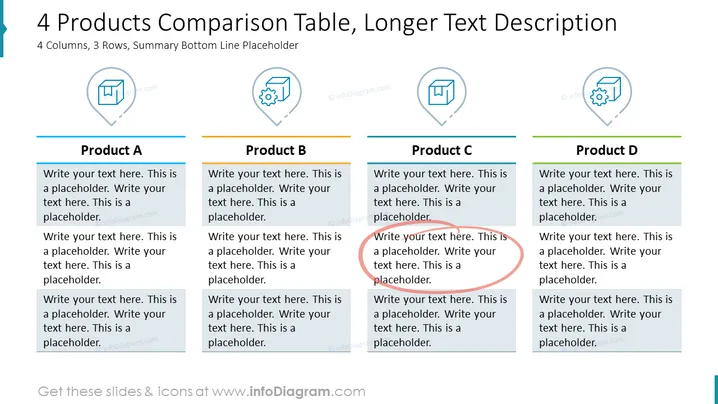
4 Products Comparison Table, Longer Text Description
Slide Content
The slide titled "4 Products Comparison Table, Longer Text Description" is set up to compare four different products across three key aspects or features, with space for a summary at the bottom. Each product has a dedicated column with a symbol at the top, followed by text placeholders for descriptions or evaluations. This layout allows for a detailed comparison of each product’s offerings, aspects such as cost, features, performance, customer service, or any other relevant criteria that are important when juxtaposing multiple options.
Graphical Look
- The slide features a light background.
- There are four columns, each labeled with 'Product A', 'Product B', 'Product C', and 'Product D' at the top, with lines separating the columns.
- At the top of each column, there is an icon within a subtle circular outline, representing each product.
- Below each icon, there are blocks of text, serving as placeholders for information.
- Each product column has its title in a different color - blue, teal, red, and green.
- The slide has a color accent at the top left corner, possibly to symbolize branding or section identification.
The overall look of the slide is clean and organized, with a professional design. The use of different colors for each product title adds a visual distinction that helps in easily differentiating between the columns.
Use Cases
- To compare multiple products or services in a business presentation, highlighting their unique features or benefits.
- In a marketing meeting to discuss competitive analysis, showcasing how company products stack up against competitors.
- During sales pitches to potential clients, to demonstrate the advantages of the various options available.
- Can be used in internal strategy sessions to compare different strategic options or product development ideas.
How to Edit
How to edit text & colors

How to expand / shorten diagram

How to Replace Icons in infoDiagram PPT


