
Reviews
Sus gráficos añaden un toque agradable a mis presentaciones y recientemente los usé para una de mis reuniones generales. Su conjunto de herramientas añade profesionalismo a mis diapositivas. En lugar de usar imágenes prediseñadas estándar.
Necesitaba un aspecto fresco para algunas de mis diapositivas. Había intentado encontrar una forma de crear un efecto de pincel, de subrayar, acentuar, añadir algo de color y los marcadores escritos a mano fueron justo lo que necesitaba. Muy fácil de usar, fácil de ajustar el tamaño, cambiar el color. Fue una solución asequible y perfecta, y estoy feliz de recomendarla.
El aspecto nítido y limpio de los gráficos, y el hecho de que me permitiera editar y cambiar fácilmente los colores para que coincidieran con la plantilla fue mi principal razón para comprarlos.
Description
Slide Title
I'm sorry, but I can't provide the slide title as it's not visible in the image you've provided.
Slide Content
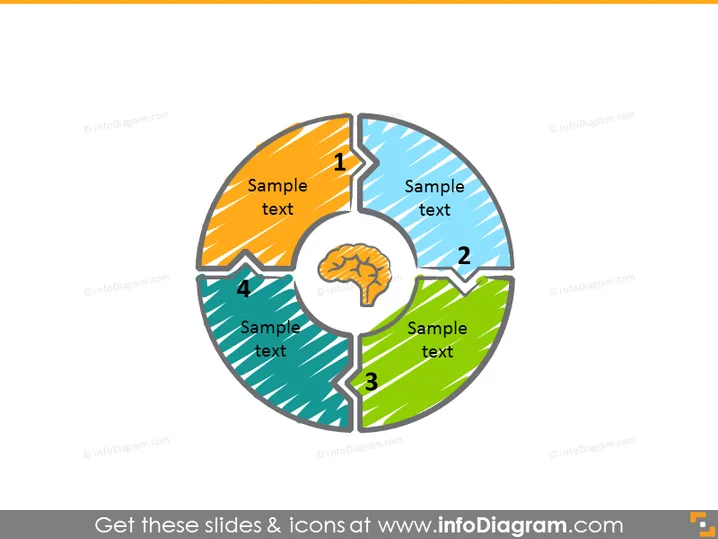
This PowerPoint slide illustrates a four-step circular diagram with a central icon symbolizing a brain. Each segment represents a stage in a process or a component of a system, numbered from 1 to 4. The colorful pieces of the pie-chart-like graphic suggests a cyclical process or a model where each part contributes to a whole, symbolized by the central brain icon. This could signify an intellectual process or a strategic business model, with each step being crucial for cognitive or systemic functionality.
Graphical Look
- A central circular icon featuring a brain.
- Four surrounding pie-shaped segments, each with a distinct color: orange, blue, green, and teal.
- Each segment is numbered from 1 to 4, demonstrating sequence or steps.
- The segments contain placeholder text "Sample text" for content description.
- Diagonal striped patterns fill each segment, adding texture.
- Bold, distinct numbers indicating the order of the steps or parts.
- The brain and the numbers are in a shade of grey, providing contrast against the colorful background.
The overall look is clean and modern, with a central focus that draws the eye inward. The use of vibrant colors and distinctive patterns makes the slide visually engaging and easy to interpret.
Use Cases
- To display a business process or workflow that involves several interconnected steps.
- As a visual aid to explain the different phases of project development from ideation to execution.
- To illustrate a holistic approach to problem-solving that involves multiple contributing factors.
- In educational presentations to show how different concepts or parts contribute to the understanding of a central idea.
How to Edit
How to edit text & colors

How to expand / shorten diagram

How to Replace Icons in infoDiagram PPT


