
Reviews
Sus gráficos añaden un toque agradable a mis presentaciones y recientemente los usé para una de mis reuniones generales. Su conjunto de herramientas añade profesionalismo a mis diapositivas. En lugar de usar imágenes prediseñadas estándar.
Necesitaba un aspecto fresco para algunas de mis diapositivas. Había intentado encontrar una forma de crear un efecto de pincel, de subrayar, acentuar, añadir algo de color y los marcadores escritos a mano fueron justo lo que necesitaba. Muy fácil de usar, fácil de ajustar el tamaño, cambiar el color. Fue una solución asequible y perfecta, y estoy feliz de recomendarla.
El aspecto nítido y limpio de los gráficos, y el hecho de que me permitiera editar y cambiar fácilmente los colores para que coincidieran con la plantilla fue mi principal razón para comprarlos.
Description
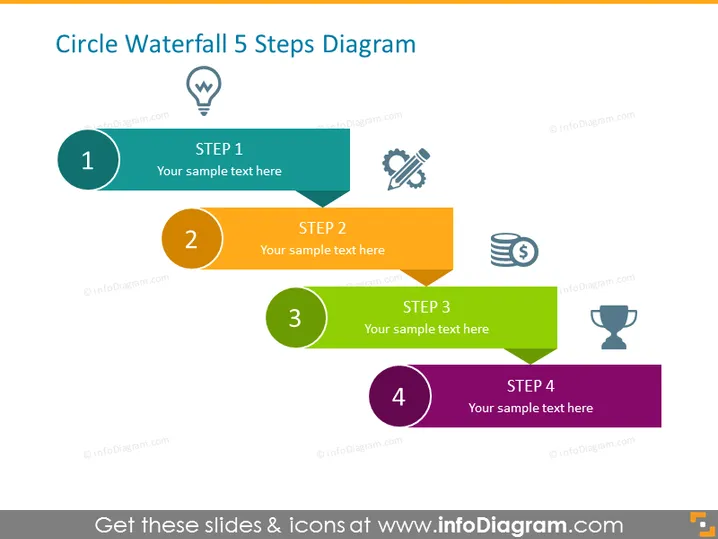
Circle Waterfall 5 Steps Diagram
Slide Content
The slide titled "Circle Waterfall 5 Steps Diagram" depicts a progression through five key steps, graphically represented as overlapping colorful banners with corresponding circular icons. Each step is marked by a unique color and number, and it is accompanied by a specific icon reflecting the essence of that step. The space next to each banner allows for an explanatory text, providing viewers with context or details about that particular stage in the process.
Graphical Look
- The slide features a bold title at the top, colored in dark grey text against a light background.
- Five horizontal banners in a variety of colors: teal, orange, green, dark purple, and lighter purple, represent sequential steps.
- Circular numbered icons corresponding to the steps, colored similarly to their respective banners.
- Icons with light grey silhouettes representing concepts like innovation, tools, finance, and achievement are placed near the top-right corner of their respective banners.
- Each banner has space for customizable text, signified by "Your sample text here."
- A drop shadow effect is applied to the banners, giving the appearance of a slight elevation above the slide background.
The slide has a clean and colorful design with a professional appearance. The color differentiation and use of icons help to distinguish each step clearly.
Use Cases
- Presenting a project timeline or phases of development in a business meeting.
- Outlining a step-by-step guide for implementing a new company strategy.
- Demonstrating the stages of a sales funnel or customer journey during a marketing presentation.
- Summarizing the workflow or stages of a process in a training session.
How to Edit
How to edit text & colors

How to expand / shorten diagram

How to Replace Icons in infoDiagram PPT


