
Reviews
Sus gráficos añaden un toque agradable a mis presentaciones y recientemente los usé para una de mis reuniones generales. Su conjunto de herramientas añade profesionalismo a mis diapositivas. En lugar de usar imágenes prediseñadas estándar.
Necesitaba un aspecto fresco para algunas de mis diapositivas. Había intentado encontrar una forma de crear un efecto de pincel, de subrayar, acentuar, añadir algo de color y los marcadores escritos a mano fueron justo lo que necesitaba. Muy fácil de usar, fácil de ajustar el tamaño, cambiar el color. Fue una solución asequible y perfecta, y estoy feliz de recomendarla.
El aspecto nítido y limpio de los gráficos, y el hecho de que me permitiera editar y cambiar fácilmente los colores para que coincidieran con la plantilla fue mi principal razón para comprarlos.
Description
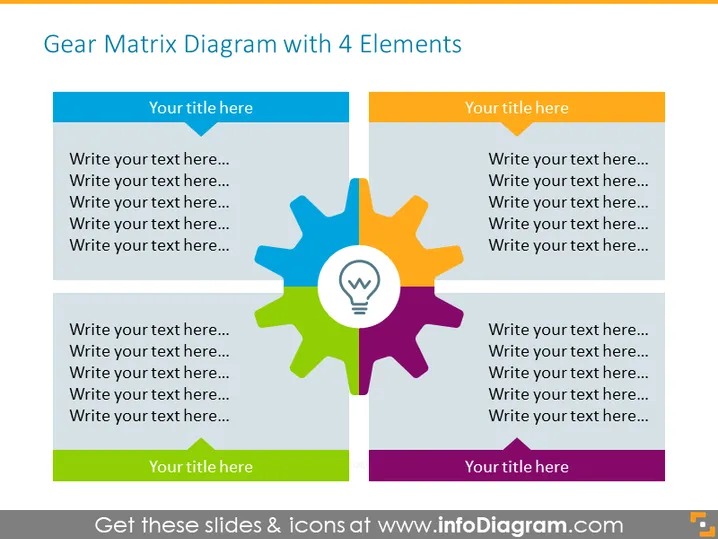
Gear Matrix Diagram with 4 Elements
Slide Content
The slide presents a "Gear Matrix Diagram with 4 Elements" which signifies interconnected components or ideas. Each gear is a different color representing a unique segment or part of a system. The gears are interconnected to illustrate that each part operates in conjunction with the others to form a complete system. There are placeholders titled "Your title here..." and additional text fields for detailed descriptions, signaling that the presenter should customize this slide with their specific content.
Graphical Look
- Four gears in different colors (blue, green, purple, and orange) are interconnected in the center.
- Each gear has a rectangular shape beside it with the same color and a lighter shade for contrast.
- The rectangle boxes have a placeholder text "Your title here..." which indicates where the titles should be placed.
- Underneath the title, there are lines of placeholder text "Write your text here..." suggesting where detailed descriptions can be inserted.
- At the center of the gears is a light bulb icon with a symbol that resembles Wi-Fi signals, possibly representing an idea or innovation at the core of these elements.
The slide uses a clean and professional design with a white background which makes the colorful gears and associated text boxes stand out. The interconnected gears imply motion and collaboration, while the central light bulb icon suggests a central idea or solution.
Use Cases
- Illustrating the interdependence of different departments or components in an organizational structure or process flow.
- Demonstrating how various aspects of a project or strategy work together to achieve a common goal.
- Explaining complex systems in educational or training presentations to show how different parts contribute to the whole.
- Presenting business models or frameworks where the synergy of elements is crucial for success.
How to Edit
How to edit text & colors

How to expand / shorten diagram

How to Replace Icons in infoDiagram PPT


