
Reviews
Sus gráficos añaden un toque agradable a mis presentaciones y recientemente los usé para una de mis reuniones generales. Su conjunto de herramientas añade profesionalismo a mis diapositivas. En lugar de usar imágenes prediseñadas estándar.
Necesitaba un aspecto fresco para algunas de mis diapositivas. Había intentado encontrar una forma de crear un efecto de pincel, de subrayar, acentuar, añadir algo de color y los marcadores escritos a mano fueron justo lo que necesitaba. Muy fácil de usar, fácil de ajustar el tamaño, cambiar el color. Fue una solución asequible y perfecta, y estoy feliz de recomendarla.
El aspecto nítido y limpio de los gráficos, y el hecho de que me permitiera editar y cambiar fácilmente los colores para que coincidieran con la plantilla fue mi principal razón para comprarlos.
Description
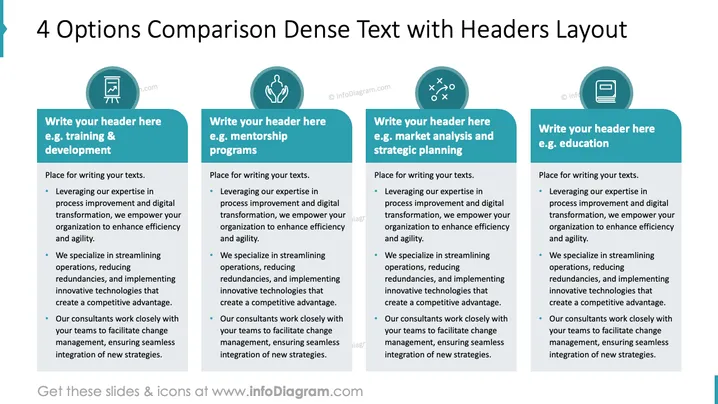
4 Options Comparison Dense Text with Headers Layout
Slide Content
This slide offers a structured comparison for four distinct areas: training & development, mentorship programs, market analysis and strategic planning, and education. Each segment highlights the process of leveraging expertise in process improvement and digital transformation to enhance efficiency and agility. It emphasizes streamlining operations and reducing redundancies by implementing innovative technologies. It also details how consultants engage with teams to facilitate change management and smooth integration of new strategies.
Graphical Look
- Four vertical, rectangular text boxes in teal and white, aligned horizontally.
- Each box features a circular icon at the top, representing different concepts: a document, a handshake, strategic planning, and a document again.
- The slide is predominantly teal and white, offering a clean and professional appearance.
- Icons are simple, line-based, and match the thematic colors of the slide.
- Text is in a clear, readable font, with headers in bold for emphasis.
- A seamless, structured layout supports a straightforward comparison.
The overall design is clean, organized, and visually coherent, ensuring the content is easy to navigate and compare.
Use Cases
- Presenting strategic initiatives in company-wide meetings.
- Comparing program options for internal development workshops.
- Outlining different consulting services for prospective clients.
- Structuring competitive analysis in strategic planning sessions.
How to Edit
How to edit text & colors

How to expand / shorten diagram

How to Replace Icons in infoDiagram PPT


