
Reviews
Vos graphiques ajoutent une belle touche à mes présentations et je les ai récemment utilisés pour l'une de mes réunions générales. Votre boîte à outils ajoute du professionnalisme à mes diapositives. Au lieu d'utiliser des cliparts standards.
J'avais besoin d'un nouveau regard sur certaines de mes diapositives. J'ai essayé de trouver un moyen de créer un effet de pinceau, de souligner, d'accentuer, d'ajouter de la couleur et les marqueurs manuscrits étaient exactement ce qu'il fallait. Très facile à utiliser, facile à ajuster la taille, à changer la couleur. C'était une solution abordable et parfaite et je suis heureux de la recommander.
L'aspect net et épuré des graphiques, et le fait qu'il m'ait permis d'éditer et de changer facilement les couleurs pour les adapter au modèle, ont été les principales raisons de mon achat.
Description
3x3 Layout Dashboard Placeholders
Slide Content
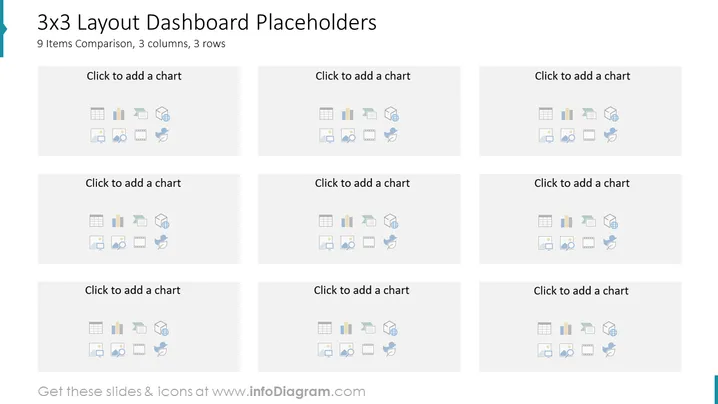
This PowerPoint slide is titled "3x3 Layout Dashboard Placeholders" and is designed for illustrating comparison-based presentations with a neat and structured approach. It showcases a grid of nine boxes arranged in three rows and columns, with each box containing a placeholder text "Click to add a chart" and a series of icons representing different types of charts and graphs. The slide aims to assist users in organizing and visualizing data by adding custom charts, fostering an easy comparison of up to nine different items or datasets.
Graphical Look
- The slide has a clean, professional design with a white background.
- There are nine pale grey rectangular placeholders evenly distributed in a grid layout, three rows by three columns.
- Each placeholder has a slightly darker grey border and includes a series of icons in the bottom left corner.
- The icons represent various chart types such as bar charts, pie charts, line graphs, and a symbol for settings or customization.
- Above the icons in each placeholder, there is a text prompt "Click to add a chart," inviting users to insert their own graphical data representations.
The overall visual composition of the slide is minimalist and grid-aligned, which emphasizes organization and clarity. The monochromatic color scheme underscores the professional tone and ensures attention is drawn to the content that will be added by the presenter.
Use Cases
- For presenting complex data sets that require direct comparison across different categories or metrics.
- In business review meetings to visualize performance analytics across multiple departments or products.
- As a template in workshops or seminars teaching how to create and interpret data visualizations.
- In investor presentations to showcase financial or operational metrics in an easily digestible format.
How to Edit
How to edit text & colors

How to expand / shorten diagram

How to Replace Icons in infoDiagram PPT


