
Reviews
Your graphics add a nice touch to my presentations and I recently used them for one of my all-hands meetings. Your toolbox adds professionalism to my slides. Instead of using standard clipart.
I needed a fresh look at some of my slides. I've tried to find a way to create a paintbrush effect, to underline, accentuate, add some color and the handwritten markers were just the things. Very easy to use, easy to size, change the color. It was an affordable, perfect solution and I'm happy to recommend it.
The crisp, clean look of the graphics, and the fact that it allowed me to easily edit and change the colors to match the template was my main reason for purchasing them.
Description
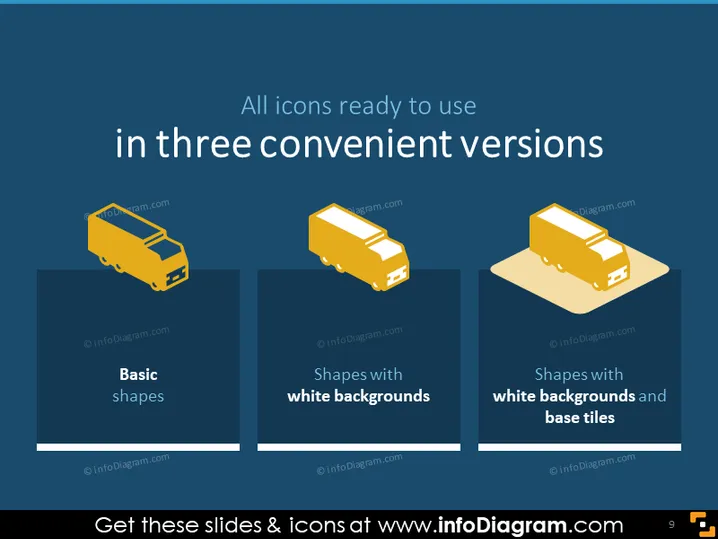
All icons ready to use in three convenient versions
Slide Content
The PowerPoint slide presents three categories of icon designs, each represented by an identical truck icon to demonstrate the style variations. "Basic shapes" likely represents the simplest form of icon design with minimal styling. "Shapes with white backgrounds" suggests icons have a defined edge against various backgrounds, enhancing visibility. "Shapes with white backgrounds and base tiles" indicates an additional element is added for depth or to highlight the icon, possibly for aesthetic or functional purposes, such as grouping.
Graphical Look
- The slide background is a deep blue color.
- Three yellow truck icons are presented in a horizontal row, each in a different style representing the categories mentioned.
- Each icon is placed on a differently styled background panel, with the leftmost being plain blue, the middle having a white backdrop, and the rightmost including both a white backdrop and a beige base tile.
- Under each icon, there is a label in white text describing the icon style.
- The overall look is clean, minimalistic, with a focus on contrasting colors (yellow icons against blue) and a good balance between text and imagery.
The slide demonstrates a minimalistic design with a strong visual contrast, which allows for clear communication of the different icon styles. The uniformity in icon shapes ensures that attention is focused on the different styles rather than the icons themselves.
Use Cases
- Introducing a design team to the various icon design options available for use in digital projects.
- Comparing visual styles in a marketing presentation to choose branding elements that align with company identity.
- Offering a quick visual reference for a software development meeting to decide on icons for a user interface design.
- Educating clients or stakeholders about the range of graphics available for their website or application during a proposal presentation.
How to Edit
How to edit text & colors

How to expand / shorten diagram

How to Replace Icons in infoDiagram PPT


