
Reviews
Your graphics add a nice touch to my presentations and I recently used them for one of my all-hands meetings. Your toolbox adds professionalism to my slides. Instead of using standard clipart.
I needed a fresh look at some of my slides. I've tried to find a way to create a paintbrush effect, to underline, accentuate, add some color and the handwritten markers were just the things. Very easy to use, easy to size, change the color. It was an affordable, perfect solution and I'm happy to recommend it.
The crisp, clean look of the graphics, and the fact that it allowed me to easily edit and change the colors to match the template was my main reason for purchasing them.
Description
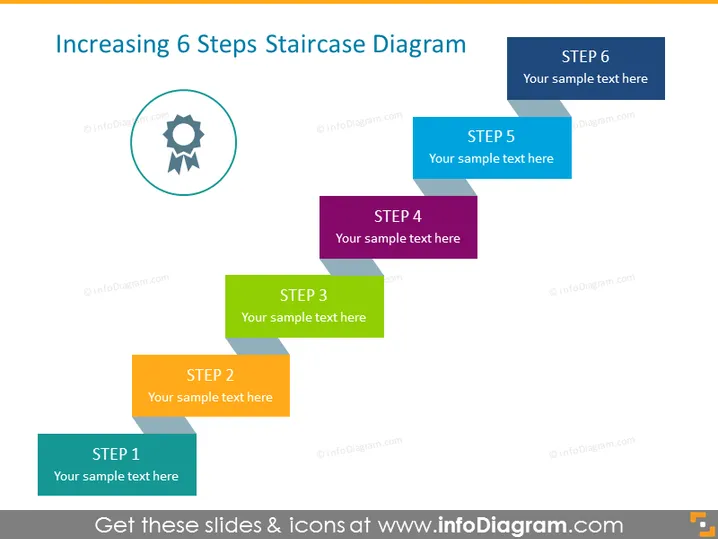
Increasing 6 Steps Staircase Diagram
Slide Content
The PowerPoint slide titled "Increasing 6 Steps Staircase Diagram" represents a progression concept through a series of steps, indicating a step-by-step process or a hierarchy of stages. The steps are meant to demonstrate incremental progression, with each step labeled from "STEP 1" to "STEP 6," and each step contains a placeholder for 'Your sample text here,' where detailed information or a description related to each step can be included.
Graphical Look
- The title of the slide is in bold, located at the top and spans the entire width.
- Six floating rectangular shapes, resembling steps, are arranged in ascending order.
- Each rectangular shape has a unique color, making the sequence visually distinguishable.
- The steps are labeled from "STEP 1" at the bottom left, to "STEP 6" at the top right, in capitalized, bold text.
- An icon of a gear with a checkmark inside it is circled and placed to the left of the staircase, aligned with the bottom step.
The overall look is colorful and structured, with clear visual demarcation between each 'step' in the sequence. The design is engaging and provides a simple yet effective visual metaphor for progression or growth.
Use Cases
- Outlining stages of a project or business plan in a clear, progressive manner.
- Explaining a step-by-step process for a product development lifecycle.
- Illustrating levels of achievement or milestones within a corporate training program.
- Demonstrating phases of growth or improvement in a performance evaluation context.
How to Edit
How to edit text & colors

How to expand / shorten diagram

How to Replace Icons in infoDiagram PPT


