
Reviews
Ihre Grafiken verleihen meinen Präsentationen eine nette Note, und ich habe sie kürzlich für eines meiner All-Hands-Meetings verwendet. Ihre Toolbox verleiht meinen Folien Professionalität, anstatt Standard-Clipart zu verwenden.
Ich brauchte einen neuen Blick auf einige meiner Folien. Ich habe versucht, einen Weg zu finden, einen Pinselschlag-Effekt zu erzielen, um zu unterstreichen, hervorzuheben, Farbe hinzuzufügen, und die handgeschriebenen Markierungen waren genau das Richtige. Sehr einfach zu bedienen, leicht in der Größe zu ändern, die Farbe zu ändern. Es war eine erschwingliche, perfekte Lösung und ich empfehle sie gerne weiter.
Die klare, saubere Optik der Grafiken und die Tatsache, dass ich die Farben leicht bearbeiten und an die Vorlage anpassen konnte, war mein Hauptgrund für den Kauf.
Description
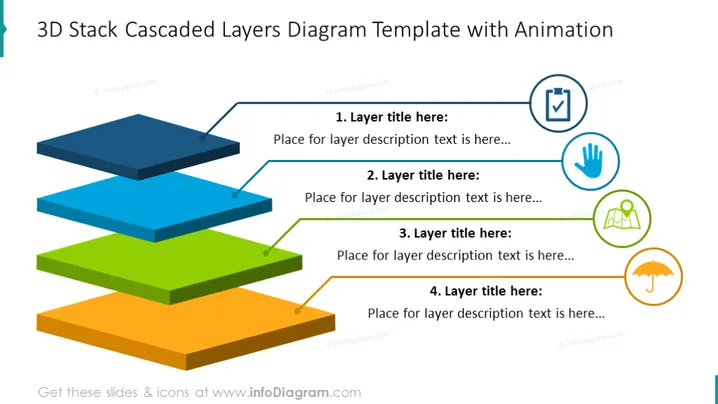
3D Stack Cascaded Layers Diagram Template with Animation
Slide Content
The slide presents a 3D Stack Cascaded Layers Diagram that appears to illustrate a stepwise structure or hierarchical concept with four distinct layers. Each layer is associated with a title and an area for a descriptive text. This kind of visualization can be used to represent processes, levels of information, or the building blocks of a concept where each layer signifies a new stage or element of the overall structure.
Graphical Look
- The main feature is a four-layered 3D stack of colored rectangles, representing the layers of the diagram.
- Each layer is a different color (from top to bottom: blue, green, yellow, and orange) and is slightly offset to create the 3D cascading effect.
- To the right of the 3D diagram, there are four corresponding blue circles with icons and lines pointing to each layer. The icons include a checkmark, hand, light bulb, and a mountain with the sun.
- Each icon-circle is associated with a numbered label (1 to 4) and a placeholder text for a layer title and description.
- The slide background is plain white, allowing the colorful 3D layers and blue circles to stand out clearly.
The visual composition is clean and modern, using bold colors and simple graphics to clearly distinguish each element of the diagram. The use of 3D perspective adds depth and makes the diagram more engaging.
Use Cases
- Presenting a business model or strategy that consists of multiple layers or stages.
- Illustrating the breakdown of a complex system into manageable parts for easier comprehension.
- Explaining step-by-step processes or hierarchies within an organization.
- Demonstrating the foundation of a project with subsequent phases or levels built upon it.
How to Edit
How to edit text & colors

How to expand / shorten diagram

How to Replace Icons in infoDiagram PPT


