
Reviews
Your graphics add a nice touch to my presentations and I recently used them for one of my all-hands meetings. Your toolbox adds professionalism to my slides. Instead of using standard clipart.
I needed a fresh look at some of my slides. I've tried to find a way to create a paintbrush effect, to underline, accentuate, add some color and the handwritten markers were just the things. Very easy to use, easy to size, change the color. It was an affordable, perfect solution and I'm happy to recommend it.
The crisp, clean look of the graphics, and the fact that it allowed me to easily edit and change the colors to match the template was my main reason for purchasing them.
Description
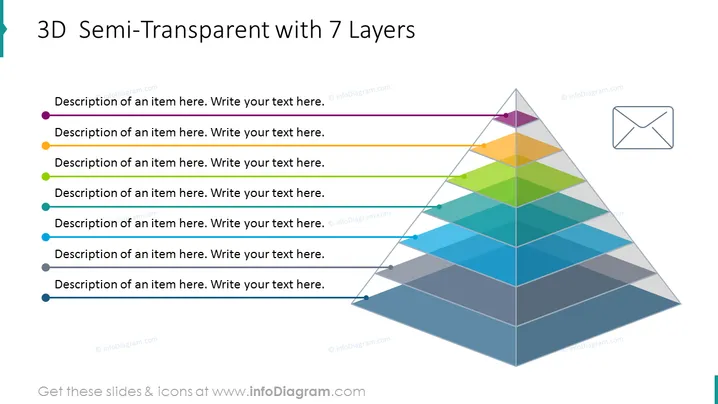
3D Semi-Transparent with 7 Layers
Slide Content
The slide shows a model for presenting 7 layers or levels in a structure. Each layer has a corresponding bullet point with a placeholder text on the left side for a detailed description, which could explain the significance, role, or content of each layer within the model. This slide is optimal for showing hierarchical relationships, progression stages, or the composition of an entity where each part builds upon the previous one.
Graphical Look
- A large, 3D pyramid composed of seven distinct, semi-transparent colored layers is central to the slide.
- Each layer is represented by a different color, creating a spectrum from purple at the top to blue at the bottom.
- To the left, there are seven corresponding bullet points, each with an adjacent circle filled with the same color as the associated layer.
- A line connects each bullet point to its corresponding layer on the pyramid.
- In the upper right-hand corner is an outline of an envelope icon, implying communication or delivery of information.
The slide design is modern and visually engaging, with a clear color-coded system to distinguish between layers and their descriptions. The 3D effect adds depth to the visual presentation, making the hierarchical structure more distinct and easier to understand.
Use Cases
- Explaining organizational hierarchies or departmental structures within a company.
- Demonstrating the stages of a process, from conceptualization to final product.
- Illustrating the layers of a product, like software architecture or a marketing strategy.
- Presenting the breakdown of a project into phases or levels of priority.
How to Edit
How to edit text & colors

How to expand / shorten diagram

How to Replace Icons in infoDiagram PPT


