
Reviews
Sus gráficos añaden un toque agradable a mis presentaciones y recientemente los usé para una de mis reuniones generales. Su conjunto de herramientas añade profesionalismo a mis diapositivas. En lugar de usar imágenes prediseñadas estándar.
Necesitaba un aspecto fresco para algunas de mis diapositivas. Había intentado encontrar una forma de crear un efecto de pincel, de subrayar, acentuar, añadir algo de color y los marcadores escritos a mano fueron justo lo que necesitaba. Muy fácil de usar, fácil de ajustar el tamaño, cambiar el color. Fue una solución asequible y perfecta, y estoy feliz de recomendarla.
El aspecto nítido y limpio de los gráficos, y el hecho de que me permitiera editar y cambiar fácilmente los colores para que coincidieran con la plantilla fue mi principal razón para comprarlos.
Description
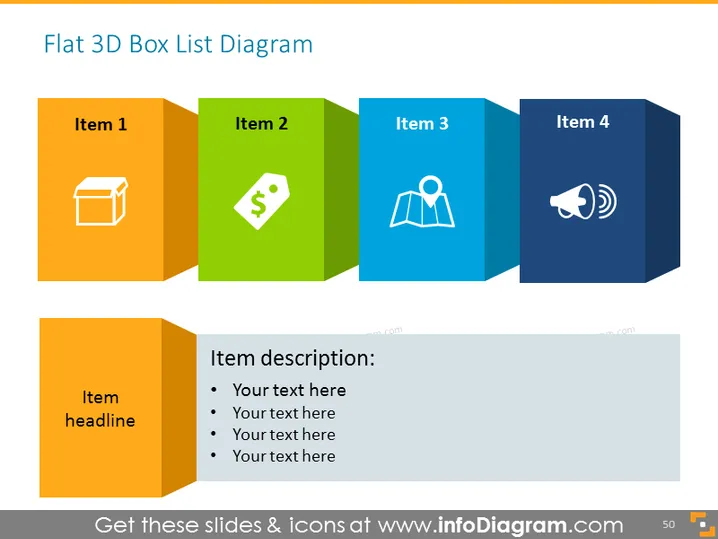
Flat 3D Box List Diagram
Slide Content
The PowerPoint slide titled "Flat 3D Box List Diagram" is designed to showcase four different items, each denoted by a 3D box. Each box is colored distinctly—orange, green, light blue, and dark blue—and features an icon corresponding to the item it represents. Below this row of boxes is a space dedicated to an item headline followed by bullet points for an in-depth item description. This format effectively combines visual cues with textual information for a clear presentation of concepts or steps.
Graphical Look
- Four colorful 3D rectangular shapes represent individual list items and are aligned horizontally.
- Each shape has a different color (orange, green, light blue, dark blue) and is designed to look three-dimensional.
- Inside each shape is a white icon that symbolizes the item's concept, such as a box, a price tag, a location marker, and a speaker icon.
- Directly below these 3D shapes is a larger, folded banner-like orange shape labeled "Item headline."
- A grey text box sits below the larger orange shape containing bullet points for additional descriptions.
- The slide uses a flat design with drop shadows to enhance the three-dimensional effect of the boxes.
The overall look of the slide is modern and visually engaging, using a mix of colors and icons to attract attention and convey information succinctly. The 3D effect on the boxes adds depth to the flat design, creating an appealing visual hierarchy.
Use Cases
- To introduce and explain the steps of a process or workflow in a business meeting.
- For summarizing project deliverables or key components during a project update presentation.
- Ideal for marketing presentations to outline the unique selling points of a product or service.
- Useful in educational settings to visually break down concepts or categories for easier comprehension.
How to Edit
How to edit text & colors

How to expand / shorten diagram

How to Replace Icons in infoDiagram PPT


