

Your graphics add a nice touch to my presentations and I recently used them for one of my all-hands meetings. Your toolbox adds professionalism to my slides. Instead of using standard clipart.
Claude Jones, Director of Engineer, @Walmartlabs, USA

Your graphics add a nice touch to my presentations and I recently used them for one of my all-hands meetings. Your toolbox adds professionalism to my slides. Instead of using standard clipart.
Claude Jones, Director of Engineer, @Walmartlabs, USA
I needed a fresh look at some of my slides. I've tried to find a way to create a paintbrush effect, to underline, accentuate, add some color and the handwritten markers were just the things. Very easy to use, easy to size, change the color. It was an affordable, perfect solution and I'm happy to recommend it.
Anonymous, US
The crisp, clean look of the graphics, and the fact that it allowed me to easily edit and change the colors to match the template was my main reason for purchasing them.
Brandie Jenkins, E-learning Developer, USA
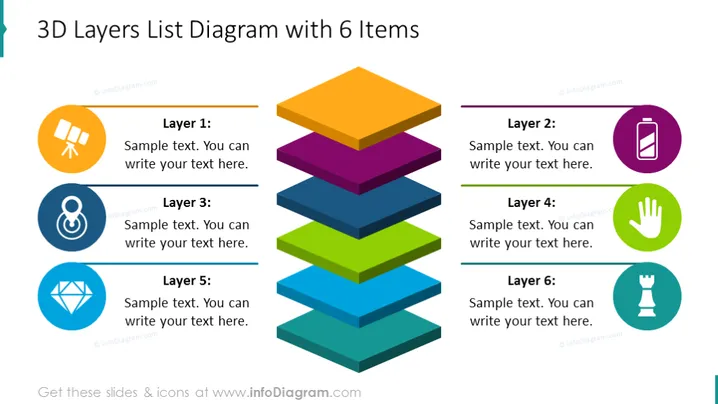
The PowerPoint slide titled "3D Layers List Diagram with 6 Items" features a breakdown of a process or system into six distinct layers. Layer 1 seems to suggest planning or a foundational step, as indicated by a graphic of a telescope; this might represent vision or foresight. Layer 2 could relate to operational or technical details, symbolized by a battery icon which often signifies power or energy. Layer 3, paired with an infinity symbol, might speak to continuous processes or unlimited potential. Layer 4 has a hand icon, which could imply manual processes or hands-on work. Layer 5 uses a diamond shape to potentially denote quality or value. Finally, Layer 6 is represented by a chess piece, typically associated with strategy or decision-making.
The slide is visually dynamic, leveraging color and 3D shapes to create an engaging representation of hierarchical or sequential information.



