

Your graphics add a nice touch to my presentations and I recently used them for one of my all-hands meetings. Your toolbox adds professionalism to my slides. Instead of using standard clipart.
Claude Jones, Director of Engineer, @Walmartlabs, USA

Your graphics add a nice touch to my presentations and I recently used them for one of my all-hands meetings. Your toolbox adds professionalism to my slides. Instead of using standard clipart.
Claude Jones, Director of Engineer, @Walmartlabs, USA
I needed a fresh look at some of my slides. I've tried to find a way to create a paintbrush effect, to underline, accentuate, add some color and the handwritten markers were just the things. Very easy to use, easy to size, change the color. It was an affordable, perfect solution and I'm happy to recommend it.
Anonymous, US
The crisp, clean look of the graphics, and the fact that it allowed me to easily edit and change the colors to match the template was my main reason for purchasing them.
Brandie Jenkins, E-learning Developer, USA
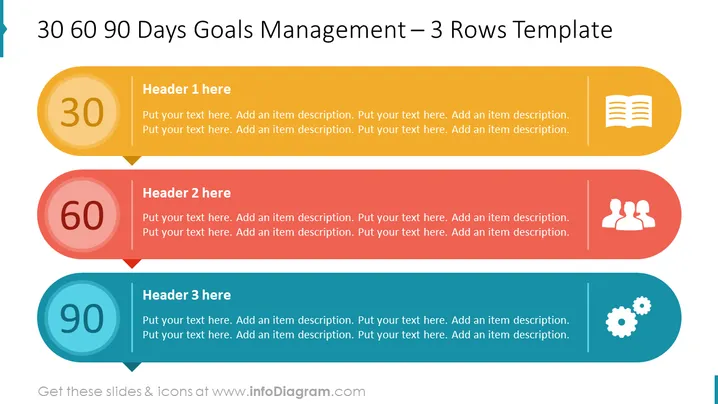
The slide presents a structured action plan for managing goals over three distinct time frames: 30, 60, and 90 days. Each time frame is associated with a unique color and icon, indicating different phases or types of activities. For instance, the "30" segment might signify initial planning or foundational activities, the "60" could denote intermediate objectives such as team collaboration, and the "90" might represent long-term goals like process optimization.
The overall look of the slide is clean and modern, utilizing flat design principles. The use of color-coding and icons provides an easy visual distinction between the different phases of the goals management process.
Such a slide is ideal for business presentations that require outlining a project timeline or setting phased objectives. It can be used in strategic planning meetings, performance reviews, or as part of a project proposal to demonstrate a clear plan of action over a 90-day period.



