
Reviews
Sus gráficos añaden un toque agradable a mis presentaciones y recientemente los usé para una de mis reuniones generales. Su conjunto de herramientas añade profesionalismo a mis diapositivas. En lugar de usar imágenes prediseñadas estándar.
Necesitaba un aspecto fresco para algunas de mis diapositivas. Había intentado encontrar una forma de crear un efecto de pincel, de subrayar, acentuar, añadir algo de color y los marcadores escritos a mano fueron justo lo que necesitaba. Muy fácil de usar, fácil de ajustar el tamaño, cambiar el color. Fue una solución asequible y perfecta, y estoy feliz de recomendarla.
El aspecto nítido y limpio de los gráficos, y el hecho de que me permitiera editar y cambiar fácilmente los colores para que coincidieran con la plantilla fue mi principal razón para comprarlos.
Description
Slide Content
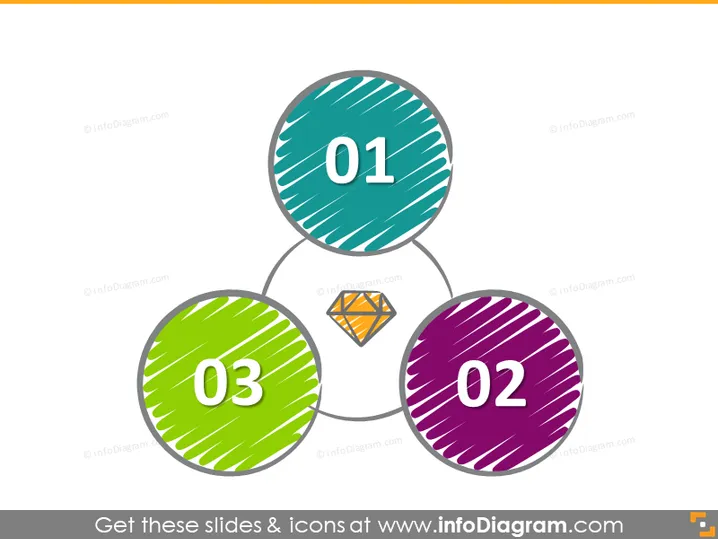
The PowerPoint slide appears to represent a three-step process or a set of three interconnected ideas. Each step is numbered and distinguished by a different color—teal, purple, and green. The numbers are presented in large, bold digits within colored circles that are connected by lines, suggesting a sequence or relationship. Additionally, each circle has a unique pattern of diagonal lines, which may denote texture or visual interest.
Graphical Look
- Three large circles, one in teal, another in purple, and the third in green, each containing a large white number from 01 to 03.
- The circles are interlinked with thin gray lines, forming a triadic structure oriented horizontally across the slide.
- Each circle has a distinct pattern of white diagonal stripes, creating a sense of depth or texture.
- Inside the linking lines between circles, a smaller white hexagon with an orange outline contains an orange geometric icon.
The overall look of the slide is simplistic and modern, with a clear focus on the interrelationship between the three items. The use of color-coding, patterns, and connecting lines makes the information easily digestible and visually appealing.
Use Cases
- To outline a step-by-step process within a business presentation, where each number corresponds to a specific phase or action.
- For illustrating core components of a strategy or business model, with each circle encapsulating a fundamental aspect.
- In educational or training settings to break down complex concepts into three key points for easier understanding.
- As a visual agenda for a meeting or workshop, with each numbered point representing a topic to be discussed.
How to Edit
How to edit text & colors

How to expand / shorten diagram

How to Replace Icons in infoDiagram PPT


