
Reviews
Sus gráficos añaden un toque agradable a mis presentaciones y recientemente los usé para una de mis reuniones generales. Su conjunto de herramientas añade profesionalismo a mis diapositivas. En lugar de usar imágenes prediseñadas estándar.
Necesitaba un aspecto fresco para algunas de mis diapositivas. Había intentado encontrar una forma de crear un efecto de pincel, de subrayar, acentuar, añadir algo de color y los marcadores escritos a mano fueron justo lo que necesitaba. Muy fácil de usar, fácil de ajustar el tamaño, cambiar el color. Fue una solución asequible y perfecta, y estoy feliz de recomendarla.
El aspecto nítido y limpio de los gráficos, y el hecho de que me permitiera editar y cambiar fácilmente los colores para que coincidieran con la plantilla fue mi principal razón para comprarlos.
Description
3 Columns E-book Page Layout with Icons
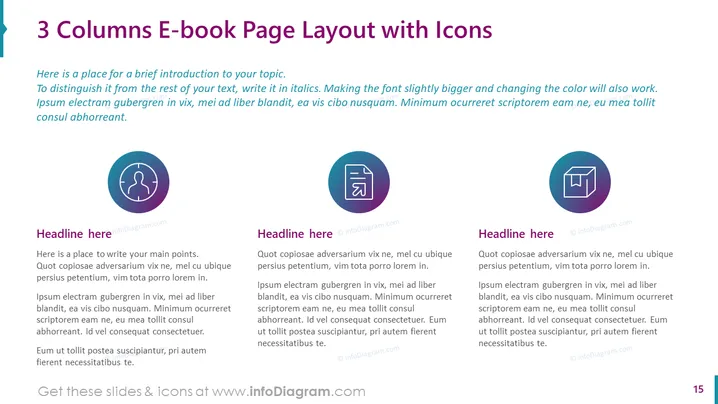
Slide Content: The PowerPoint slide is titled "3 Columns E-book Page Layout with Icons" and presents a template for showcasing information in a three-column format, ideal for e-book or document layouts. Each column is accompanied by a unique icon, suggesting a categorization of content. The first section offers a brief introduction in italicized text, advising on how to differentiate it from the main content. The three columns each have a placeholder heading followed by placeholder text, presumably for detailed discussion, analysis, or descriptive content.
Graphical Look:
- The slide background is white, providing a clean canvas for the content.
- A large, bold, purple title text spans the top of the slide.
- Under the title, there is a short introductory text in italics, differentiated by font style and size.
- Three evenly spaced columns are presented below the introduction, each with a headline in bold.
- Each column features an icon encircled within a purple circle at the top, serving as a visual aid to the text.
- The icons include a lightbulb (idea or inspiration), a window layout (structure or framework), and a pie chart (data or analytics).
- The text within each column is standard placeholder text, in a smaller font size than the headings, suggesting where actual content is meant to be inserted.
- At the bottom right corner, there's a page number "15," indicating this slide's position in a larger presentation.
The overall look of the slide is modern and professional, utilizing icons effectively to break information into digestible pieces. The consistent use of purple adds a harmonious visual theme across the slide.
Use Cases:
- To present different aspects or pillars of a single concept during a business or educational presentation.
- As a template for e-book or online content creators to visually organize information in their digital publications.
- In marketing or sales presentations to compare and contrast features, benefits, or options of a product or service. I'm sorry, but there seems to be an issue with the provided image, and I cannot access its content. If you can provide the image again or describe it to me, I would be more than happy to help you with your request.
How to Edit
How to edit text & colors

How to expand / shorten diagram

How to Replace Icons in infoDiagram PPT


