
Reviews
Your graphics add a nice touch to my presentations and I recently used them for one of my all-hands meetings. Your toolbox adds professionalism to my slides. Instead of using standard clipart.
I needed a fresh look at some of my slides. I've tried to find a way to create a paintbrush effect, to underline, accentuate, add some color and the handwritten markers were just the things. Very easy to use, easy to size, change the color. It was an affordable, perfect solution and I'm happy to recommend it.
The crisp, clean look of the graphics, and the fact that it allowed me to easily edit and change the colors to match the template was my main reason for purchasing them.
Description
Product Development Roadmap Template— 3 Categories
Slide Content
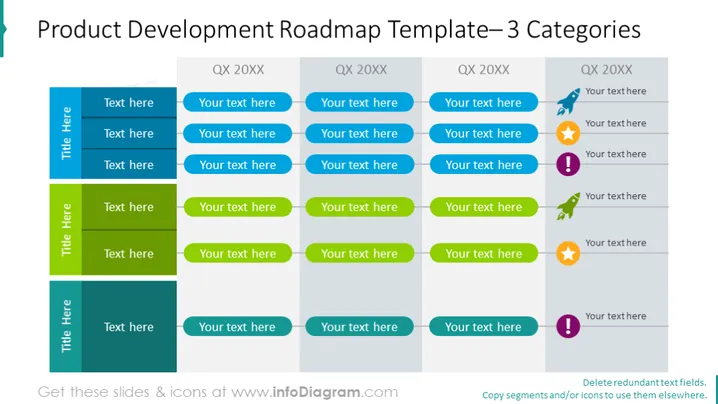
The slide titled "Product Development Roadmap Template— 3 Categories" outlines a strategic plan for product development over a period marked by quarters (QX 20XX). It is divided into three colorful vertical sections, each with a distinct color—blue, green, and teal—indicating different categories or streams of development. Placeholder text prompts suggest where to insert specific roadmap details. Each section includes milestones represented by icons such as a pin, a light bulb, a star, and exclamation points, suggesting activities such as ideation, achievement, or cautionary notes.
Graphical Look
- The slide title is in large, dark font centered at the top of the slide.
- There are three distinct vertical columns with headers in darker shades and the content in lighter shades.
- Each column's header is labeled with "Title Here", indicating it is a placeholder for the actual content category.
- The quarters are denoted by "QX 20XX" at the top of each second-level block within the columns, indicating a timeframe.
- Placeholder text boxes reading "Your text here" are aligned beneath each quarter designation for additional details.
- In the third level of each column, there are icons (a pin, a light bulb, a star, exclamation point) next to the text placeholders.
- The icons are accompanied by colored marker lines, visually linking the icons to the corresponding text.
The slide has a professional and organized appearance, using a clear structure to visually represent a timeline or roadmap for product development. The placeholders and icons suggest a highly customizable layout fit for various project details or status indications.
Use Cases
- Outlining product development plans in a business presentation to provide an overview of the timeline and key activities.
- Presenting quarterly goals and achievements to stakeholders or team members to communicate progress and future plans.
- Utilizing it in project management meetings to track progress and identify areas requiring attention or milestones .
- Leveraging the slide during strategy sessions to align cross-functional teams on the product development lifecycle and synchronize efforts across categories.
How to Edit
How to edit text & colors

How to expand / shorten diagram

How to Replace Icons in infoDiagram PPT


