
Reviews
Sus gráficos añaden un toque agradable a mis presentaciones y recientemente los usé para una de mis reuniones generales. Su conjunto de herramientas añade profesionalismo a mis diapositivas. En lugar de usar imágenes prediseñadas estándar.
Necesitaba un aspecto fresco para algunas de mis diapositivas. Había intentado encontrar una forma de crear un efecto de pincel, de subrayar, acentuar, añadir algo de color y los marcadores escritos a mano fueron justo lo que necesitaba. Muy fácil de usar, fácil de ajustar el tamaño, cambiar el color. Fue una solución asequible y perfecta, y estoy feliz de recomendarla.
El aspecto nítido y limpio de los gráficos, y el hecho de que me permitiera editar y cambiar fácilmente los colores para que coincidieran con la plantilla fue mi principal razón para comprarlos.
Description
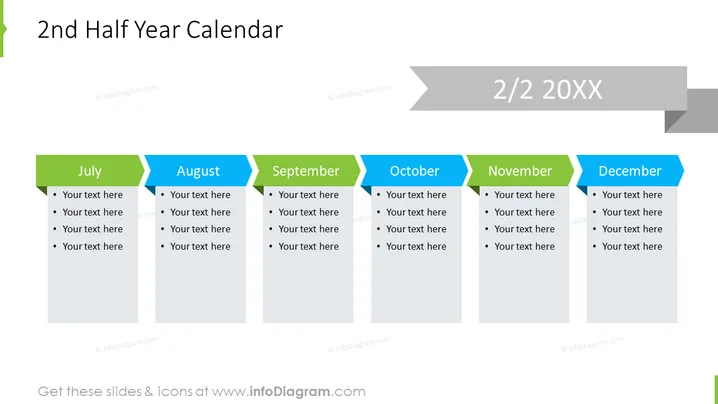
2nd Half Year Calendar
Slide Content
This PowerPoint slide is designed to display a six-month calendar overview for the second half of the year. Each month, from July to December, has a dedicated tab with space for bullet-point entries to detail key events, milestones, or tasks. The slide allows for a concise visual summary of plans or activities across the latter half of the year, providing an at-a-glance projection of upcoming commitments.
Graphical Look
- The slide background is white, providing a clean and neutral canvas for the content.
- Six colored tabs, each representing a different month from July to December, extend across the slide horizontally. The tabs are colored alternately in a green and blue shade.
- Each tab contains the name of the month in bold, white text, and is aligned to the left.
- Below each monthly tab, there is a grey text box with placeholder text "Your text here" in bullet points (four points per month), suggesting a list format for entering specific details.
- At the top right corner, there is a text box with the text "2/2 20XX" against a striped grey background, indicating this is part 2 of a series and specifying an unspecified future year.
The slide is neatly organized with a symmetric layout, using color coding to differentiate between the months. The design is modern and minimalistic, offering an easy-to-read overview without unnecessary clutter.
Use Cases
- To outline major company milestones and deadlines to keep team members aligned throughout the latter part of the year.
- During strategic planning sessions to visualize and organize key project timelines or marketing campaigns across multiple months.
- In monthly or quarterly business reviews to highlight past achievements and future plans within the second semester.
- As a personal planner in professional development presentations to showcase individual goals and objectives with a timeline.
How to Edit
How to edit text & colors

How to expand / shorten diagram

How to Replace Icons in infoDiagram PPT


