
Reviews
Your slides are my 'secret sauce' when it comes to visualising my ideas to clients. I'm saving so much time.
InfoDiagram has been a wonderful resource since I found the product site a few years ago.
Your slides often generate good comments and ideas from my team that improve the final slides.
Description
2nd Half Year Calendar
Slide Content
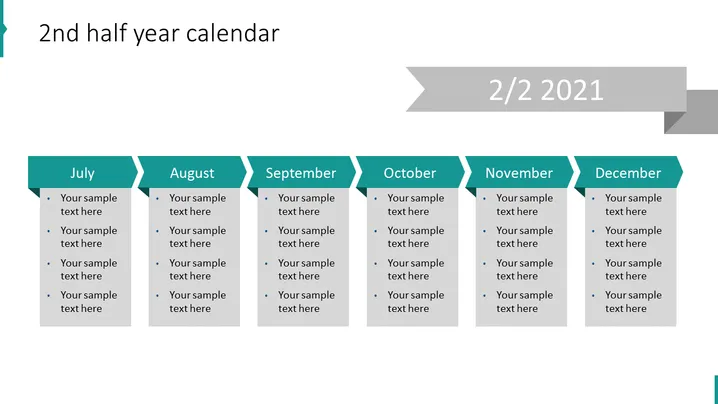
The slide presents an overview of the second half-year calendar, broken down by months from July to December. For each month, there's a dedicated section that includes placeholder text for inserting specific events, tasks, or notes. These placeholders prompt the user to input details relevant to the period, thereby creating a tailored six-month plan or overview. The slide can serve as a visual aid for tracking objectives, milestones, or deadlines across the latter half of the year.
Graphical Look
- The slide background is a gradient of light grays.
- It features a horizontal band across the top in a darker gray with a ribbon element on the right indicating "2/2 2021".
- Each month from July to December is given its own column with a teal header that contains the month's name.
- Below each month's header are bullet points with "Your sample text here" placeholders for adding custom content.
- The text and bullet points are in a dark gray color which contrasts with the background.
- The overall layout is grid-like and symmetrical. The slide has a professional and clean design, making the content easily readable. The use of contrasting colors and clear demarcation of each month facilitates quick scanning and understanding of the slide's purpose.
Use Cases
- To outline project timelines and key deliverables for the second half of a business year.
- For educators to present academic schedules, highlighting exams, holidays, or critical dates in a semester.
- In a corporate setting, to visualize departmental or team goals and their corresponding deadlines.
- Used in personal planning, such as mapping out significant personal events or deadlines such as tax submissions, over a six-month period.
How to Edit
How to edit text & colors

How to expand / shorten diagram

How to Replace Icons in infoDiagram PPT


